






Your internet protocol (IP) address serves as your digital home address, revealing your approximate location and enabling websites to track your online movements. Every time you browse, stream, or connect to any online service, your IP address broadcasts information about you. Understanding the methods for hiding IP address has become essential for anyone concerned with privacy, security, or accessing content without geographical restrictions. Whether you're protecting sensitive business data, safeguarding personal information, or simply maintaining anonymity online, masking your IP address provides a critical layer of defence against tracking, hacking, and unwanted surveillance.
Why Hiding Your IP Address Matters
Online privacy has transformed from a luxury to a necessity in our interconnected world. Your IP address functions as a unique identifier that follows you across the internet, creating a detailed profile of your browsing habits, purchasing decisions, and personal interests.
Privacy Protection from Tracking
Advertisers, data brokers, and analytics companies constantly harvest IP addresses to build comprehensive profiles. These profiles influence the prices you see, the adverts displayed, and even the search results presented to you. By concealing your IP address, you disrupt this tracking ecosystem and reclaim control over your digital footprint.
Various techniques exist for concealing your IP address, each offering different levels of protection and convenience. The method you choose depends on your specific needs, technical expertise, and the level of anonymity required for your activities.
Security Against Targeted Attacks
Exposed IP addresses create vulnerabilities that cybercriminals exploit. Distributed denial-of-service (DDoS) attacks target specific IP addresses to overwhelm systems and knock services offline. Hackers use IP information to plan more sophisticated attacks, gathering intelligence about your network infrastructure and potential weaknesses.
Key security benefits include:
- Protection against DDoS attacks targeting your home or business network
- Prevention of IP-based geolocation tracking by malicious actors
- Reduced exposure to port scanning and network reconnaissance
- Enhanced security for remote workers accessing company resources
Understanding strategies for protecting origin IP addresses becomes particularly important for businesses running web services or hosting content online.
Methods for Hiding IP Address Successfully
Different techniques offer varying levels of protection, speed, and ease of implementation. Selecting the appropriate method requires understanding your priorities and technical capabilities.
Virtual Private Networks (VPNs)
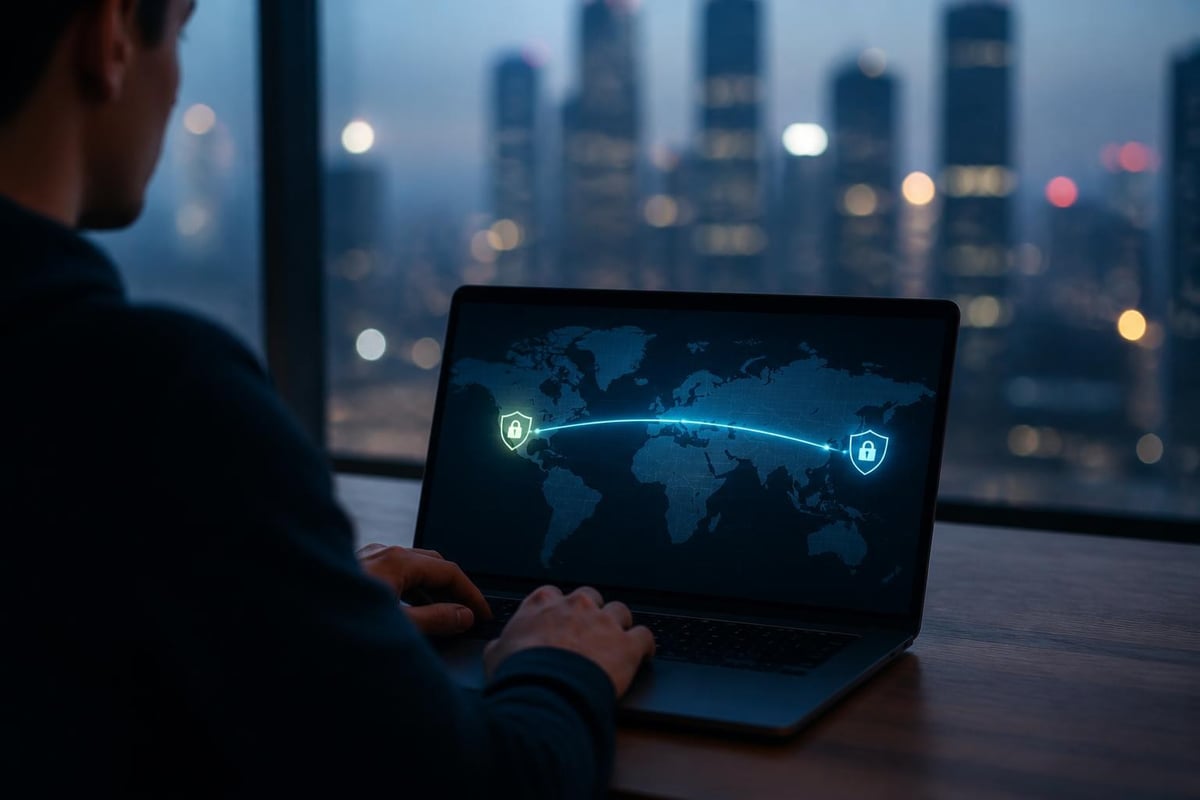
VPNs create encrypted tunnels between your device and remote servers, routing all internet traffic through the VPN server's IP address instead of your own. This technology represents the most comprehensive solution for hiding IP address whilst maintaining fast connection speeds suitable for streaming, gaming, and everyday browsing.
| VPN Feature | Benefit | Ideal For |
|---|---|---|
| Military-grade encryption | Protects data from interception | Sensitive business communications |
| Global server network | Bypasses geographical restrictions | International content access |
| Kill switch protection | Prevents IP leaks if connection drops | High-security requirements |
| Multiple device support | Covers laptops, phones, tablets | Families and businesses |
Modern VPN protocols such as WireGuard and OpenVPN deliver exceptional performance whilst maintaining robust security standards. Pre-configured VPN routers provide network-wide protection, securing every connected device automatically without requiring individual software installation on each gadget.
Proxy Servers and SOCKS Protocols
Proxy servers act as intermediaries between your device and the internet, masking your IP address by substituting it with the proxy's address. Unlike VPNs, most proxies don't encrypt your traffic, making them faster but less secure for sensitive activities.
Proxy types and their uses:
- HTTP proxies – Best for basic web browsing and accessing geo-blocked websites
- SOCKS proxies – Support various traffic types including email, torrenting, and gaming
- Transparent proxies – Don't actually hide your IP; often used by organisations for content filtering
- Anonymous proxies – Conceal your IP but identify themselves as proxies to websites
The absence of encryption means proxies suit situations where speed matters more than privacy. They work well for accessing content libraries or bypassing simple geographical restrictions.
The Tor Network for Maximum Anonymity
The Tor (The Onion Router) network routes your internet traffic through multiple volunteer-operated servers worldwide, encrypting data at each layer. This approach makes hiding IP address extremely effective for maximum anonymity, though at the cost of significantly reduced speeds.
Tor excels for activities requiring complete privacy, such as whistleblowing, investigative journalism, or accessing information in restrictive regions. However, the multiple encryption layers and routing paths make Tor impractical for streaming, video calls, or other bandwidth-intensive activities.
Methods for concealing your IP address vary considerably in their technical implementation and practical usability, with Tor representing the most privacy-focused but least convenient option.
Router-Level Protection Versus Device-Level Solutions
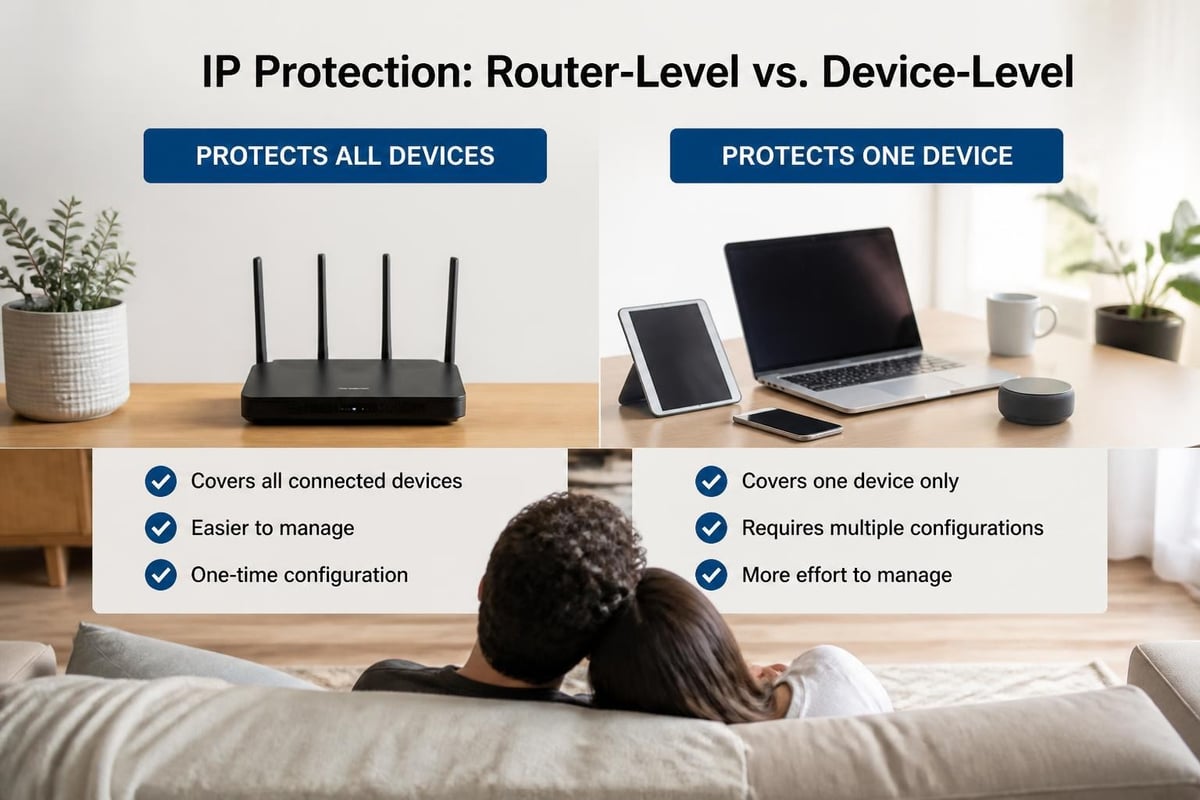
The approach you choose for hiding IP address significantly impacts convenience, coverage, and maintenance requirements. Router-level and device-level solutions each offer distinct advantages for different scenarios.
Benefits of Router-Level VPN Implementation
Configuring protection at the router level means every device connecting to your network automatically gains IP masking capabilities. This approach eliminates the need to install software on individual devices and ensures comprehensive coverage.
Router-level advantages include:
- Automatic protection for smart TVs, gaming consoles, and IoT devices
- Single configuration point for entire household or office network
- Consistent security policy across all connected devices
- No software installation required on individual devices
- Protection for devices that don't support VPN apps
Businesses particularly benefit from router-level solutions, as they simplify management and ensure all employees maintain consistent security standards regardless of which devices they use.
When Device-Level Solutions Make Sense
Individual device protection offers flexibility for users who need different IP addresses for various activities or who frequently connect to multiple networks. Installing VPN software on specific devices allows for selective routing and easier troubleshooting.
Mobile professionals working from coffee shops, hotels, and co-working spaces find device-level solutions practical because they maintain protection regardless of which network they join. The ability to quickly toggle protection on and off also suits users who need local network access for printers or file sharing.
Advanced Techniques for Enhanced Privacy
Beyond basic IP masking, sophisticated users implement multiple layers of protection to maximise privacy and security. These advanced strategies combine different technologies for comprehensive defence.
Multi-Hop VPN Connections
Multi-hop or double VPN configurations route your traffic through two or more VPN servers in different countries before reaching its destination. This approach makes hiding IP address substantially more robust, as even if one server were compromised, your original IP remains protected by subsequent servers.
The trade-off involves reduced connection speeds due to additional routing and encryption overhead. Multi-hop connections suit scenarios requiring extraordinary privacy, such as protecting confidential business communications or accessing sensitive information.
Combining Tor with VPN Services
Running Tor over VPN provides complementary benefits from both technologies. Your VPN encrypts traffic before it enters the Tor network, preventing your internet service provider from knowing you're using Tor. The Tor network then adds multiple layers of anonymity on top of the VPN's protection.
This combination offers exceptional privacy but significantly impacts performance. Understanding how to safely hide IP addresses requires balancing security needs against practical usability constraints.
Virtual Machines and Isolated Environments
Creating virtual machines or using isolated browsing environments adds another dimension to hiding IP address strategies. Running sensitive activities within virtual machines containing their own VPN configurations prevents IP leaks if your primary system becomes compromised.
| Protection Layer | Security Benefit | Complexity Level |
|---|---|---|
| Basic VPN | Encrypts traffic, masks IP | Low |
| Multi-hop VPN | Additional server layer | Medium |
| VPN + Tor | Maximum anonymity | High |
| VM + VPN | Isolated environment | Very High |
Common Mistakes When Hiding IP Address
Even experienced users make errors that compromise their privacy efforts. Recognising these pitfalls helps maintain effective protection and prevents accidental exposure.
DNS Leaks and WebRTC Vulnerabilities
DNS (Domain Name System) requests can bypass your VPN tunnel, revealing which websites you visit to your internet service provider. Similarly, WebRTC (Web Real-Time Communication) features built into browsers can expose your real IP address even when connected to a VPN.
Prevention measures:
- Enable DNS leak protection in your VPN settings
- Use VPN-provided DNS servers rather than your ISP's
- Disable WebRTC in browser settings or use extensions to block it
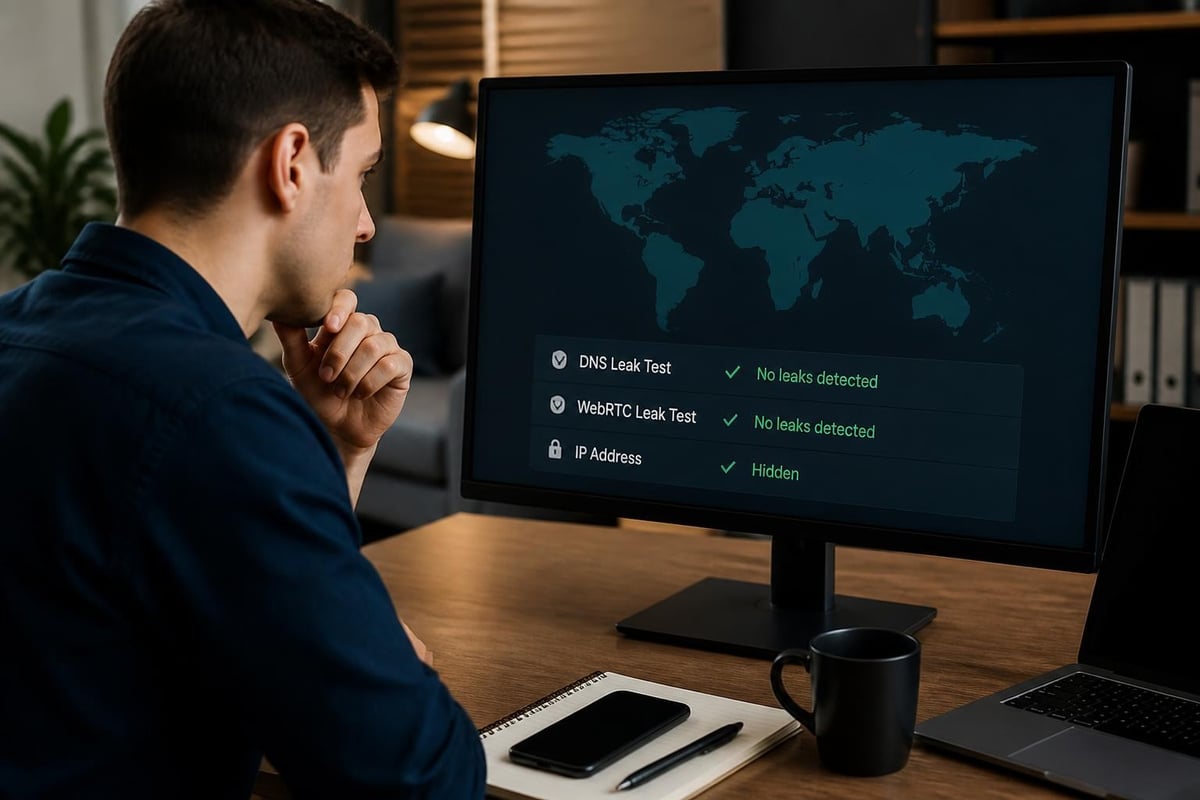
- Regularly test for leaks using online detection tools
- Configure your router's DNS settings for network-wide protection
These vulnerabilities undermine hiding IP address efforts despite having an active VPN connection. Regular testing ensures your protection remains intact and effective.
Inconsistent Protection Across Devices
Protecting your laptop whilst leaving mobile devices, tablets, and smart home gadgets exposed creates privacy gaps. Cybercriminals often target the weakest link in your network, exploiting unprotected devices to gain access or gather information.
Comprehensive approaches to hiding your IP address emphasise the importance of consistent protection across all internet-connected devices, not just primary computers.
Trusting Free or Unreliable Services
Free VPN services and obscure proxy providers often collect and sell user data, defeating the purpose of hiding IP address. These services may inject advertisements, throttle bandwidth, or maintain extensive logs that authorities can subpoena.
Reputable services invest heavily in infrastructure, security audits, and privacy-focused policies. They operate under transparent business models that don't rely on exploiting user data for revenue.
Selecting the Right Solution for Your Needs
Choosing an appropriate method for hiding IP address depends on your specific requirements, technical expertise, and budget considerations. Different scenarios demand different approaches.
Home Users and Families
Households benefit most from router-level solutions that protect all devices automatically. This approach suits families with various devices including smart TVs, gaming consoles, and smartphones. Parents can implement consistent security without managing individual device configurations.
Streaming enthusiasts require fast, stable connections that maintain quality whilst hiding IP address. Modern VPN protocols deliver speeds sufficient for 4K content whilst providing comprehensive protection.
Business and Remote Workers
Organisations prioritising data security need enterprise-grade solutions with centralised management, detailed logging, and compliance features. Remote workers accessing company resources require reliable connections that maintain productivity whilst securing sensitive information.
Small businesses often start with router-level protection for office networks, expanding to individual device solutions for travelling employees. This hybrid approach balances comprehensive coverage with flexibility for mobile workers.
Travellers and Digital Nomads
Frequent travellers need portable solutions that work across different networks and countries. Portable VPN routers create secure networks in hotels, airports, and shared accommodations, protecting all devices simultaneously.
These users particularly value the ability to access home country services whilst abroad, from banking platforms to streaming libraries. Hiding IP address enables seamless access regardless of physical location.
Technical Considerations and Performance Impact
Understanding the technical implications of different IP masking methods helps set realistic expectations and optimise configurations for your specific needs.
Encryption Overhead and Speed Trade-offs
All encryption introduces some performance overhead. The impact varies based on protocol efficiency, server load, distance to VPN servers, and your baseline internet speed. Modern protocols like WireGuard minimise this impact whilst maintaining strong security.
Factors affecting performance:
- Physical distance between you and the VPN server
- Current server load and available bandwidth
- Your internet service provider's base speed
- Encryption protocol and key strength
- Quality of network infrastructure
Users with fast internet connections (100 Mbps or higher) typically notice minimal impact from properly configured VPN services. Those with slower connections may need to choose nearby servers or adjust encryption settings to maintain acceptable speeds.
Protocol Selection for Different Activities
Different VPN protocols suit various activities based on their balance of speed, security, and compatibility. Modern approaches to hiding your IP address increasingly favour newer protocols that deliver better performance without compromising security.
| Protocol | Speed | Security | Best For |
|---|---|---|---|
| WireGuard | Excellent | Very High | General use, streaming, gaming |
| OpenVPN | Good | Very High | Maximum compatibility |
| IKEv2 | Very Good | High | Mobile devices, frequent reconnections |
| L2TP/IPsec | Moderate | Moderate | Legacy device support |
Legal and Ethical Considerations
Hiding IP address operates within legal frameworks that vary by jurisdiction. Understanding these considerations ensures you use privacy tools responsibly and lawfully.
Legitimate Use Cases
Privacy tools serve numerous legal and ethical purposes. Protecting business communications, safeguarding personal information, and maintaining anonymity when discussing sensitive topics all represent legitimate uses for IP masking technology.
Journalists, researchers, and activists rely on these tools to protect sources, conduct investigations, and communicate safely. Businesses use them to secure proprietary information and protect against industrial espionage.
Compliance and Responsibility
Whilst hiding IP address itself remains legal in most jurisdictions, the activities conducted behind that privacy must still comply with applicable laws. Using privacy tools doesn't grant immunity from illegal activities or absolve users of responsibility for their actions.
Some services and platforms prohibit VPN usage in their terms of service. Violating these terms may result in account suspension, though it doesn't typically carry legal consequences beyond contractual disputes.
Maintaining Long-Term Privacy
Effective privacy protection requires ongoing attention and adaptation to evolving threats. Establishing good habits ensures your IP masking efforts remain effective over time.
Regular Security Audits
Periodically testing your setup identifies potential vulnerabilities before they become exploited weaknesses. Monthly checks for DNS leaks, IP exposure, and WebRTC vulnerabilities take minutes but provide valuable peace of mind.
Audit checklist:
- Test for DNS leaks using multiple detection websites
- Verify IP address masking on all devices
- Check WebRTC status in browsers
- Review VPN connection logs for unexpected disconnections
- Update VPN firmware and software to latest versions
- Assess server performance and switch if necessary
Staying Informed About Threats
The privacy landscape evolves constantly as new tracking methods emerge and existing protections become outdated. Following security news, understanding emerging threats, and adapting your approach maintains effective protection.
Browser fingerprinting, advanced tracking pixels, and machine learning-based user identification represent modern challenges beyond simple IP tracking. Comprehensive privacy strategies address these evolving threats through multiple defensive layers.
Protecting your online identity through effective IP masking has become fundamental to maintaining privacy and security in 2026. Whether you choose router-level protection for comprehensive coverage or device-specific solutions for flexibility, implementing these strategies safeguards your digital presence from tracking, targeting, and unwanted surveillance. U Shield VPN offers pre-configured VPN routers that make hiding IP address effortless across your entire network, combining WireGuard and OpenVPN technology with plug-and-play convenience to protect every device automatically without complex setup or ongoing maintenance.
