






Online privacy has become a critical concern for internet users worldwide. Every time you connect to the internet, your device receives a unique identifier known as an Internet Protocol (IP) address, which reveals your approximate location and can be used to track your online activities. Hiding IP addresses has evolved from a niche security practice into an essential strategy for anyone concerned about digital privacy, whether you're browsing at home, streaming content, gaming online, or conducting business remotely. Understanding the methods, benefits, and practical applications of IP masking empowers you to take control of your digital footprint.
Why Hiding IP Matters for Privacy and Security
Your IP address functions as your digital home address, providing websites, advertisers, and potentially malicious actors with valuable information about your online presence. When you visit a website, your IP address is logged automatically, creating a trail of your browsing habits that can be compiled into detailed profiles.
Key privacy risks associated with exposed IP addresses include:
- Geolocation tracking that reveals your approximate physical location
- Targeted advertising based on browsing history and demographics
- ISP monitoring and potential data logging or throttling
- Vulnerability to DDoS attacks and other cyber threats
- Price discrimination when shopping online based on location
Beyond privacy concerns, hiding your IP address serves practical purposes in daily internet use. Content creators accessing region-locked streaming services, remote workers connecting to corporate networks, and gamers seeking better connection routes all benefit from IP masking techniques.

The legal and ethical considerations surrounding hiding IP addresses remain generally positive. In most jurisdictions, individuals have the right to protect their privacy online, though the specific methods used and purposes behind them should always comply with local regulations and service terms of use.
Primary Methods for Hiding IP Addresses
Virtual Private Networks (VPNs)
VPNs represent the most comprehensive solution for hiding IP addresses whilst maintaining fast, reliable internet connections. When you connect through a VPN, your internet traffic routes through an encrypted tunnel to a remote server, which then forwards your requests to their destinations using the server's IP address instead of your own.
The technical process involves several layers of protection. Your device establishes an encrypted connection to the VPN server using protocols such as WireGuard or OpenVPN. All data transmitted between your device and the server remains encrypted, preventing ISPs, network administrators, or eavesdroppers from viewing your activities. Norton emphasizes that VPNs provide both IP masking and encryption, making them particularly effective for comprehensive privacy protection.
| VPN Feature | Privacy Benefit | Performance Impact |
|---|---|---|
| IP Masking | Hides actual location and identity | Minimal with quality providers |
| Encryption | Protects data from interception | 5-15% speed reduction typical |
| Kill Switch | Prevents IP leaks if connection drops | None during normal operation |
| DNS Leak Protection | Ensures all queries use VPN DNS | None when properly configured |
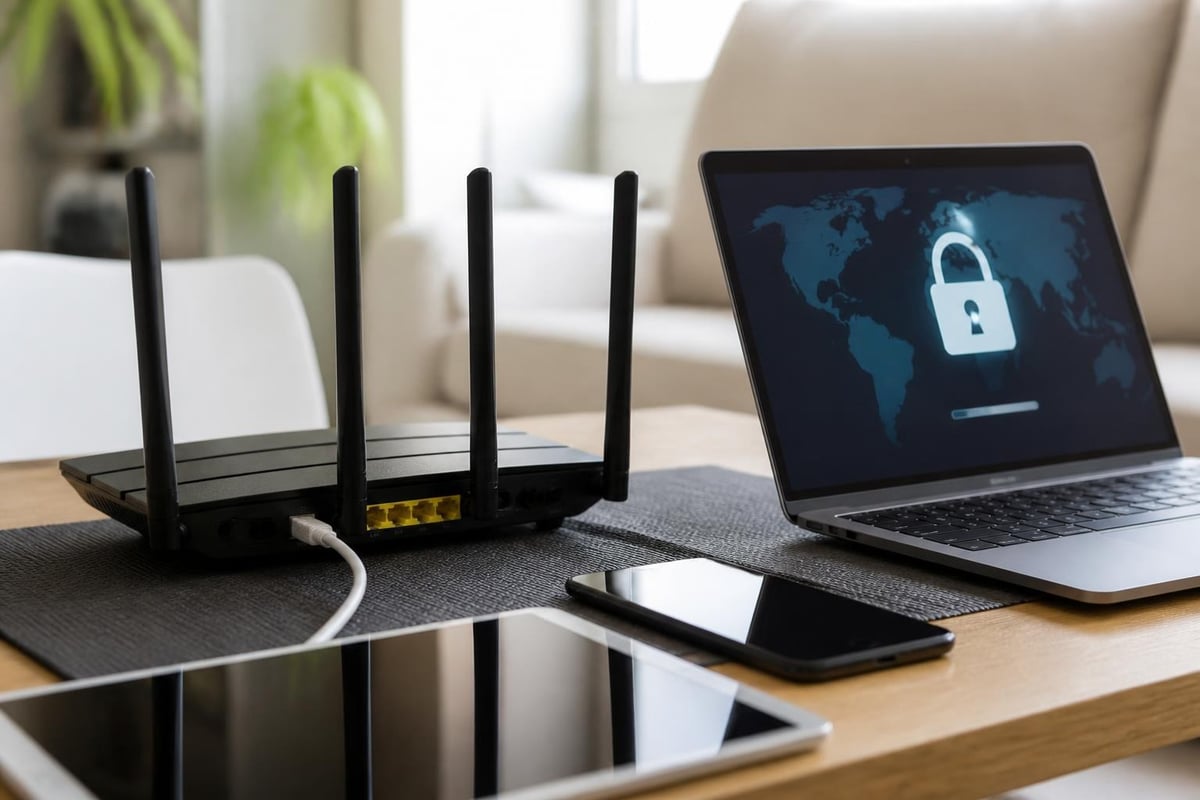
Modern VPN implementations have evolved beyond software applications. Pre-configured routers now offer network-wide protection, ensuring that every device connected to your home or office network benefits from hiding IP capabilities without requiring individual configuration on each device.
Proxy Servers
Proxy servers act as intermediaries between your device and the internet, forwarding your requests whilst presenting their own IP addresses to destination websites. Unlike VPNs, most proxy connections don't encrypt your traffic, making them faster but less secure for sensitive activities.
Different proxy types serve distinct purposes:
- HTTP Proxies handle web browsing traffic exclusively
- SOCKS Proxies support various protocols including email and file transfers
- Transparent Proxies don't hide your IP but cache content for faster loading
- Anonymous Proxies hide your IP whilst identifying themselves as proxies
- Elite Proxies hide your IP without revealing proxy use
The primary advantage of proxies lies in their speed and accessibility. Many free proxy services exist, though Security.org warns that free proxies may compromise privacy by logging your activities or injecting advertisements into web pages.
The Tor Network
The Onion Router (Tor) provides maximum anonymity by routing your connection through multiple volunteer-operated servers worldwide. Each relay in the chain only knows the previous and next hop, making it extremely difficult to trace the original source of traffic.
When hiding IP through Tor, your connection passes through at least three randomly selected nodes:
- The entry node knows your real IP but not your destination
- The middle relay knows neither your IP nor your final destination
- The exit node knows your destination but not your real IP
This multi-layered approach offers exceptional privacy but comes with significant performance trade-offs. The multiple routing steps introduce substantial latency, making Tor impractical for streaming, gaming, or large file transfers.
Implementing IP Hiding for Different Use Cases
Secure Browsing and Privacy Protection
For everyday browsing, hiding IP addresses prevents websites from building comprehensive profiles of your interests and activities. Advertisers use sophisticated tracking techniques that combine IP addresses with cookies, browser fingerprinting, and cross-site tracking to follow users across the internet.
Practical steps for browser-level IP protection:
- Configure your browser to use a VPN or proxy for all connections
- Enable tracking protection and disable third-party cookies
- Use privacy-focused browser extensions alongside IP masking
- Clear browsing data regularly to prevent correlation attacks
- Consider using separate browsers for different activity types
The combination of IP masking and browser privacy features creates multiple layers of protection. Tom’s Guide explains that whilst hiding your IP address prevents location-based tracking, complementary privacy measures address other tracking vectors that websites employ.
Streaming and Content Access
Geographic restrictions on streaming content frustrate users worldwide. Content providers use IP addresses to determine viewer locations and enforce licensing agreements that vary by region. Hiding IP addresses allows access to content libraries from different countries, though this practice may violate service terms of use.
When selecting a method for streaming, connection speed becomes paramount. VPN protocols vary significantly in their performance characteristics, with WireGuard generally offering the best balance between security and speed for video streaming.
For households with multiple streaming devices, pre-configured VPN routers eliminate the need to configure each television, gaming console, tablet, or smartphone individually. This network-level approach ensures consistent IP masking across all devices whilst simplifying management.
Gaming and Low-Latency Applications
Online gamers face unique challenges when hiding IP addresses. Whilst privacy protection remains important, especially against DDoS attacks targeting competitive players, added latency can severely impact gameplay experience.
| Gaming Scenario | Recommended Method | Expected Latency Impact |
|---|---|---|
| Casual Gaming | Standard VPN | 10-30ms increase |
| Competitive Gaming | WireGuard VPN with nearby server | 5-15ms increase |
| P2P Gaming | SOCKS5 Proxy | 5-10ms increase |
| Game Server Hosting | Dedicated IP with DDoS protection | Minimal to none |
Selecting VPN servers geographically close to game servers minimizes latency whilst still providing IP hiding benefits. Some gamers use split tunneling, routing only game traffic through the VPN whilst other applications use the standard connection.
Business and Remote Work Applications
Organizations increasingly recognize the importance of hiding IP addresses for their employees, particularly those working remotely. Corporate VPNs protect sensitive communications and prevent competitors from tracking business activities.
Remote workers accessing company resources benefit from IP masking in several ways. Firstly, it prevents surveillance of corporate activities on public networks. Secondly, it allows secure connections to internal systems without exposing the company's actual IP infrastructure. Thirdly, it maintains consistency in access patterns regardless of employee location.
Cloudflare’s recommendations for protecting origin IPs extend beyond individual privacy to organizational security, emphasizing the importance of hiding server IP addresses to prevent targeted attacks.
Technical Considerations and Best Practices
Choosing the Right Protocol
Modern hiding IP solutions support multiple protocols, each with distinct advantages. WireGuard has emerged as the preferred option for most users due to its combination of speed, security, and efficient code base. OpenVPN remains widely supported and offers excellent compatibility across platforms.
Protocol comparison for hiding IP effectively:
- WireGuard: Modern, fast, efficient with minimal overhead
- OpenVPN: Mature, highly configurable, excellent platform support
- IKEv2/IPsec: Fast reconnection, ideal for mobile devices
- SSTP: Works through restrictive firewalls but Windows-centric
- L2TP/IPsec: Widely supported but slower than modern alternatives
The protocol selection impacts not just performance but also the effectiveness of hiding IP under different network conditions. Some protocols handle network changes better, whilst others penetrate restrictive firewalls more effectively.
Preventing IP Leaks
Even with proper hiding IP configurations, various leak scenarios can expose your real IP address. DNS leaks occur when DNS queries bypass the VPN tunnel, revealing browsing destinations to your ISP. WebRTC leaks exploit browser features to detect local IP addresses even through VPNs.
Testing your IP hiding setup involves multiple verification steps. Visit IP checking websites to confirm your visible IP matches your VPN server location. Run DNS leak tests to ensure all queries route through the VPN provider's DNS servers. Check for WebRTC leaks using browser-based testing tools.
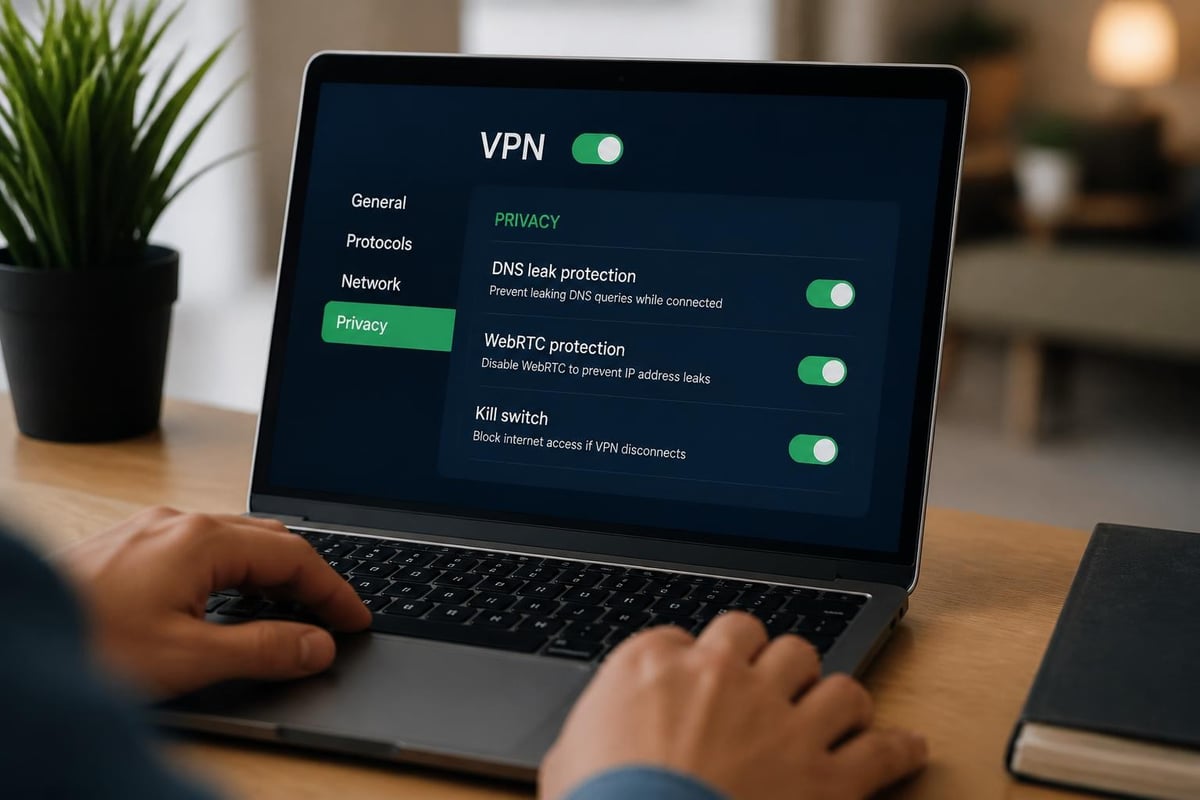
Implementing kill switches provides critical protection against accidental exposure. These features monitor your VPN connection and immediately block all internet traffic if the tunnel drops, preventing your real IP from being exposed during reconnection attempts.
Router-Level Implementation
Implementing hiding IP at the router level offers significant advantages over device-specific configurations. Every device connecting to the network automatically gains IP masking protection without individual setup. Visitors using your Wi-Fi inherit the same privacy protections. Devices that don't support VPN software natively, such as smart home devices and game consoles, gain protection they couldn't otherwise achieve.
Router configuration requires initial setup but provides ongoing benefits. Modern pre-configured solutions eliminate technical complexity whilst delivering professional-grade security. The centralized approach also simplifies maintenance, as updates and configuration changes apply network-wide rather than requiring attention on each device.
Common Challenges and Solutions
Performance Optimization
Hiding IP addresses inevitably introduces some performance overhead due to encryption and routing through remote servers. Minimizing this impact requires strategic server selection, protocol optimization, and sometimes hardware upgrades.
Performance enhancement strategies include:
- Selecting VPN servers with low user load and high bandwidth capacity
- Choosing geographically proximate servers when location flexibility exists
- Using WireGuard protocol for optimal speed-to-security ratio
- Upgrading to router hardware with sufficient processing power for encryption
- Implementing quality of service (QoS) rules to prioritize critical traffic
Users often discover that perceived performance issues stem from ISP throttling rather than VPN overhead. Comparitech’s analysis of hiding IP methods reveals that VPNs sometimes improve streaming performance by preventing ISPs from identifying and throttling video traffic.
Compatibility and Service Restrictions
Some services actively block traffic from known VPN servers and proxy addresses, attempting to prevent hiding IP addresses. Streaming platforms, financial institutions, and some e-commerce sites employ sophisticated detection methods including IP range blacklisting, port blocking, and behavior analysis.
Overcoming these restrictions requires adaptive strategies. Rotating between different VPN servers can bypass IP-based blocks. Using less common ports for VPN connections evades port-blocking measures. Some providers offer dedicated IP addresses that aren't flagged as proxies, though this reduces anonymity benefits.
The balance between hiding IP and accessing services continues evolving. IT Pro’s guide to IP hiding emphasizes that whilst technical capabilities exist, users must navigate increasingly sophisticated detection systems whilst maintaining privacy.
Legal and Compliance Considerations
Understanding the legal landscape surrounding hiding IP practices ensures compliant use. Most jurisdictions permit individuals to protect their privacy through VPNs and similar technologies, though certain countries impose restrictions or bans on such tools.
Business users must consider regulatory requirements specific to their industries. Financial services, healthcare, and government contractors often face data residency requirements that impact hiding IP strategies. Ensuring that VPN server locations comply with applicable regulations becomes essential.
The ethical dimensions of hiding IP extend beyond legal compliance. Using IP masking to engage in illegal activities, circumvent copyright protections, or evade legitimate security measures raises ethical concerns regardless of technical capabilities.
Protecting your online privacy through effective IP hiding techniques has become essential in today's connected world. Whether you're securing daily browsing activities, accessing content from different regions, enhancing gaming privacy, or protecting business communications, the right approach combines technical effectiveness with practical usability. U Shield VPN delivers comprehensive network protection through pre-configured routers that make hiding IP straightforward for every device in your home or office, backed by WireGuard and OpenVPN technologies that ensure fast, reliable, and secure connections. Discover how U Shield VPN can transform your network security with plug-and-play simplicity designed for modern privacy needs.
