






Your IP address functions as a digital fingerprint, revealing your location, internet provider, and browsing habits to websites, advertisers, and potential cybercriminals. Understanding how to hide my IP has become essential for anyone concerned about online privacy, security, or accessing region-restricted content. Whether you're streaming, gaming, working remotely, or simply browsing, masking your IP address provides a fundamental layer of protection against tracking, targeted advertising, and various cyber threats. This comprehensive guide explores the most effective methods for concealing your IP address and maintaining anonymity online.
Why Your IP Address Matters for Privacy
Every device connected to the internet receives a unique identifier called an Internet Protocol address. This numerical label allows data to flow correctly between your device and the websites you visit, but it simultaneously creates a trail of your online activities.
What Information Your IP Reveals
Your IP address exposes more personal information than most people realize. What your IP address can reveal about you includes your approximate geographic location, often pinpointing your city or postal code, and identifies your internet service provider. Websites use this data to build detailed profiles of your browsing behaviour, shopping preferences, and online habits.
Beyond basic tracking, exposed IP addresses create security vulnerabilities. Cybercriminals can exploit this information for targeted attacks, whilst advertisers build comprehensive databases linking your IP to specific interests and demographics. Government agencies and ISPs may monitor your online activities, and streaming platforms use geographical data to restrict content access based on your location.

Risks of an Exposed IP Address
The potential risks associated with exposing your IP address extend beyond simple privacy concerns. Malicious actors can use your IP to launch distributed denial-of-service attacks, attempt unauthorized access to your network, or conduct reconnaissance before more sophisticated attacks.
Key security threats include:
- Targeted phishing campaigns using location data
- Network intrusion attempts
- Online harassment through IP-based identification
- Bandwidth throttling by internet service providers
- Price discrimination based on geographic location
- Legal monitoring of torrenting or streaming activities
Primary Methods to Hide Your IP Address
Several proven techniques allow you to mask your IP address effectively, each offering different levels of security, speed, and convenience. Understanding how to hide my IP requires evaluating these options against your specific privacy needs and technical requirements.
Virtual Private Networks
VPNs represent the most comprehensive solution for IP masking, creating encrypted tunnels between your device and the internet. When you connect to a VPN server, your traffic appears to originate from that server's IP address rather than your own.
Using VPNs to hide your IP address provides several advantages beyond simple IP masking. The encryption protects all data transmitted between your device and the VPN server, making it unreadable to ISPs, hackers, or government surveillance. Modern VPN protocols like WireGuard and OpenVPN offer robust security whilst maintaining excellent connection speeds.
| VPN Protocol | Speed | Security Level | Best Use Case |
|---|---|---|---|
| WireGuard | Excellent | Very High | Streaming, gaming, daily browsing |
| OpenVPN | Good | Very High | Maximum security, business use |
| IKEv2/IPsec | Very Good | High | Mobile connections, frequent switching |
| L2TP/IPsec | Moderate | Moderate | Legacy device compatibility |
VPN advantages for IP hiding:
- Complete device protection with single connection
- High-speed encrypted tunnels
- Access to global server networks
- Protection on public WiFi networks
- Bypass geographical content restrictions
- Prevent ISP tracking and throttling
Proxy Servers
Proxy servers act as intermediaries between your device and the internet, routing your requests through their IP addresses. Unlike VPNs, proxies typically don't encrypt your entire connection, focusing solely on redirecting traffic.
Different proxy types serve various purposes. HTTP proxies work exclusively with web traffic, SOCKS proxies handle multiple protocols including email and torrenting, whilst transparent proxies operate without user configuration but offer minimal privacy protection.
The limitations of proxy servers become apparent when considering security requirements. Most proxies transmit data without encryption, leaving your information vulnerable to interception. They also typically protect only specific applications rather than your entire device, and free proxy services often log user activity or inject advertisements.
Tor Network
The Onion Router creates anonymity through multiple layers of encryption, bouncing your traffic through volunteer-operated servers worldwide. Each relay knows only the previous and next hop, making it extremely difficult to trace your original IP address.
Tor's layered approach:
- Your connection enters through a guard node
- Traffic passes through multiple middle relays
- Exit nodes deliver requests to destination websites
- Return traffic follows the encrypted path backwards
- Each layer removes one encryption level
Tor excels at providing anonymity for sensitive communications but suffers from significantly slower speeds compared to VPNs. The multiple relay system creates latency unsuitable for streaming or gaming, and some websites block connections from known Tor exit nodes.

Router-Level IP Protection
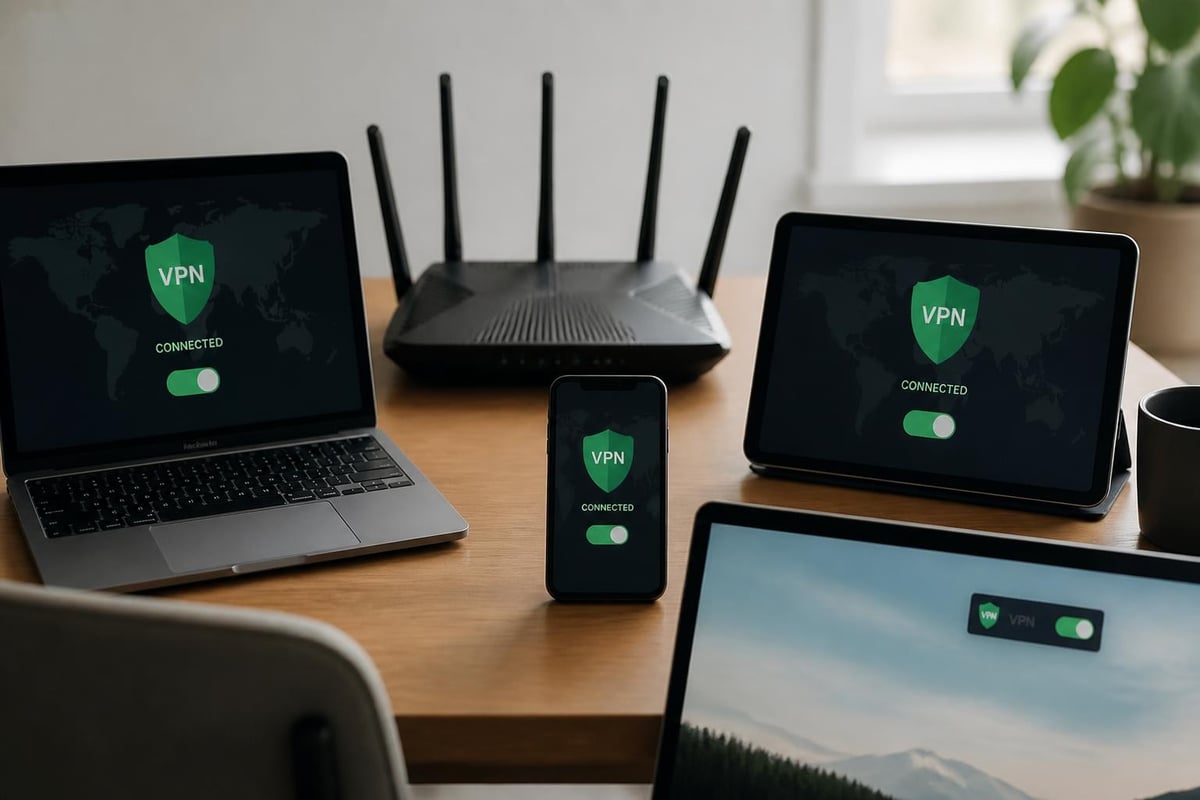
Whilst individual VPN applications protect single devices, router-based solutions secure every device connected to your network simultaneously. This approach eliminates the need to install and configure VPN software on each phone, tablet, smart TV, or gaming console.
Benefits of VPN Routers
Pre-configured VPN routers transform network security by establishing encrypted connections at the gateway level. Every device automatically gains IP masking protection the moment it connects to your WiFi network, regardless of whether it supports VPN applications.
This network-wide approach proves particularly valuable for smart home devices, which rarely support direct VPN installation. Security cameras, smart thermostats, voice assistants, and IoT devices all benefit from IP protection without requiring individual configuration.
For households seeking comprehensive privacy, pre-configured VPN routers offer plug-and-play solutions that eliminate complex setup procedures. These specialized routers arrive with WireGuard or OpenVPN protocols already configured, allowing immediate protection for streaming, gaming, and secure browsing across all connected devices.
Setting Up Router-Based Protection
Router configuration steps:
- Access your router's administration panel through the default gateway address
- Navigate to VPN settings or advanced configuration section
- Enter VPN service credentials and server information
- Select preferred VPN protocol based on speed and security needs
- Configure automatic connection to maintain constant protection
- Test connection by verifying your new IP address
Router-level protection requires consideration of processing power, as encryption can strain older hardware. Modern VPN routers feature dedicated processors designed to handle encryption without significant speed reduction.
Advanced IP Hiding Techniques
Beyond standard VPN and proxy usage, sophisticated users employ additional methods to maximize anonymity and overcome specific restrictions.
Mobile Network Considerations
Mobile devices present unique challenges for IP masking. Your phone switches between WiFi and cellular networks constantly, potentially exposing your real IP during transitions. Always-on VPN features ensure protection remains active during network changes.
Public WiFi networks pose particular security risks, broadcasting unencrypted traffic that hackers can easily intercept. Protecting your privacy on public networks requires activating VPN protection before connecting to any untrusted hotspot.
Mobile IP protection checklist:
- Enable kill switch features to block unprotected connections
- Configure automatic VPN activation on untrusted networks
- Verify VPN reconnection after airplane mode
- Use dedicated VPN profiles for different security levels
- Monitor data usage to detect VPN disconnections
Browser-Based Solutions
Browser extensions offer quick IP masking for web traffic specifically, though they leave other applications unprotected. These lightweight tools integrate directly into Chrome, Firefox, or other browsers, routing only HTTP/HTTPS traffic through proxy servers.
The convenience of browser-based solutions comes with significant limitations. Extensions protect only the browser itself, leaving email clients, messaging apps, and system updates exposed. Many free browser VPNs log user activity, sell browsing data to advertisers, or inject tracking cookies despite claiming privacy protection.
Choosing the Right IP Hiding Method
Selecting the appropriate technique for masking your IP depends on your specific requirements, technical expertise, and security priorities. Different scenarios demand different approaches.
Matching Methods to Use Cases
| Use Case | Recommended Method | Key Consideration |
|---|---|---|
| Daily browsing | Router VPN or device VPN | Balance of speed and security |
| Streaming content | WireGuard VPN | High speeds with encryption |
| Gaming online | Low-latency VPN servers | Minimal ping increase |
| Maximum anonymity | Tor with VPN | Complete traffic obfuscation |
| Public WiFi | Always-on mobile VPN | Automatic protection activation |
| Smart home devices | Router-level VPN | Device-agnostic protection |
Understanding how to hide my IP effectively requires assessing your threat model. Casual users concerned about advertiser tracking need less robust solutions than journalists protecting sensitive sources or businesses securing proprietary communications.
Cost Versus Privacy Tradeoffs
Free IP hiding services rarely deliver genuine privacy protection. These platforms monetize through data collection, selling browsing histories to advertisers, or injecting advertisements into web pages. Common methods to hide your IP vary significantly in both effectiveness and trustworthiness.
Premium service advantages:
- No-logging policies verified by independent audits
- High-speed servers optimized for streaming and gaming
- Advanced security features like kill switches and leak protection
- Reliable customer support for troubleshooting
- Regular security updates and protocol improvements
Investing in reputable VPN services or purpose-built VPN routers provides measurable security benefits that free alternatives cannot match. The minimal monthly cost pales compared to potential damages from data breaches, identity theft, or privacy violations.
Verifying Your IP is Hidden
After implementing IP masking techniques, verification ensures your protection functions correctly. Simple tests reveal whether your real IP remains exposed due to configuration errors or VPN leaks.
Testing Your IP Masking
Visit IP checking websites before and after activating your VPN or proxy to confirm your visible IP address changes. These services display the IP address websites detect when you connect, alongside geographic location data and ISP information.
Comprehensive verification steps:
- Note your original IP address before protection
- Activate your chosen IP hiding method
- Visit multiple IP checking websites to confirm consistency
- Verify geographic location matches your selected server
- Test for DNS leaks using specialized detection tools
- Check WebRTC leaks that can expose real IP despite VPN
- Confirm IPv6 protection if your network uses it
DNS leaks occur when your device bypasses VPN encryption for domain name lookups, sending requests directly to your ISP's DNS servers. This exposes browsing activity even whilst your IP remains hidden. Quality VPN services include DNS leak protection, routing all queries through encrypted tunnels.
Maintaining Ongoing Protection
IP masking requires continuous vigilance rather than one-time configuration. Regular verification confirms protection remains active, particularly after software updates or network changes.
Monitoring best practices:
- Enable VPN kill switches to block internet access if protection drops
- Configure automatic connection on startup to prevent unprotected browsing
- Review VPN logs periodically for disconnection events
- Update VPN software promptly when new versions release
- Test protection after major operating system updates
- Verify all devices on router VPNs receive proper protection
Understanding how to hide my IP extends beyond initial setup to maintaining robust, consistent protection against evolving threats and changing network conditions.
Legal and Ethical Considerations
Whilst hiding your IP address remains legal in most jurisdictions, the activities you conduct whilst protected must still comply with applicable laws. IP masking serves legitimate privacy purposes but doesn't grant immunity from illegal behaviour.
Legitimate Uses for IP Hiding
Privacy-conscious individuals hide IP addresses for numerous lawful reasons. Remote workers protect corporate communications from eavesdropping, travelers access home country services whilst abroad, and security researchers investigate threats without exposing their networks.
Valid privacy scenarios:
- Protecting sensitive business communications from competitors
- Preventing price discrimination based on geographic location
- Accessing region-locked content from legitimate subscriptions
- Avoiding targeted advertising and behavioural tracking
- Securing communications on untrusted public networks
- Removing personal information from the internet including address data linked to IP records
Journalists rely on IP masking to protect sources and investigate sensitive topics without alerting subjects. Activists in restrictive regions use these tools to access uncensored information and communicate safely.
Legal Restrictions and Boundaries
Certain countries restrict or prohibit VPN usage entirely, requiring travellers to research local regulations before hiding their IP addresses. China, Russia, Iran, and several other nations impose varying degrees of VPN restrictions, from requiring government approval to outright bans.
Using IP masking to conduct illegal activities provides no legal protection. Copyright infringement, hacking, fraud, and other crimes remain prosecutable regardless of IP hiding techniques. Law enforcement agencies possess sophisticated methods for tracking criminal activity even through VPN and proxy services, particularly when providers cooperate with legal investigations.
Comparing IP Hiding Solutions
Different methods for masking your IP address offer distinct advantages depending on your specific requirements, technical skills, and budget constraints.
Solution Effectiveness Matrix
| Feature | VPN | Proxy | Tor | Router VPN |
|---|---|---|---|---|
| Full encryption | Yes | Usually No | Yes | Yes |
| Speed impact | Low-Moderate | Low | Very High | Low-Moderate |
| Device coverage | Per device | Per application | Per device | All devices |
| Setup complexity | Easy | Easy | Moderate | Moderate |
| Cost | Moderate | Low-Free | Free | Higher initial |
| Streaming support | Excellent | Good | Poor | Excellent |
| Gaming performance | Good | Good | Unsuitable | Good |
The optimal approach to how to hide my IP varies based on household size, device quantity, and technical comfort level. Single-device users benefit from straightforward VPN applications, whilst families with numerous connected devices gain efficiency from router-based solutions.
Long-Term Privacy Strategy
Sustainable IP protection requires planning beyond immediate implementation. Consider how your privacy needs may evolve as online threats become more sophisticated and regulations change.
Layering multiple protection methods provides defense-in-depth security. Combining router-level VPN protection with Tor for particularly sensitive communications creates redundant anonymity layers that resist various attack vectors.
Regular security audits ensure your IP hiding techniques remain effective against emerging threats. Review your VPN provider's privacy policies annually, test for leaks quarterly, and update configurations when new protocols or features become available.
Protecting your online privacy through effective IP masking requires understanding the available methods and selecting solutions that match your specific needs. Whether you choose application-based VPNs, router-level protection, or advanced techniques like Tor, consistent implementation delivers meaningful security benefits. U Shield VPN offers pre-configured routers that simplify network-wide IP protection, combining WireGuard and OpenVPN protocols with plug-and-play convenience to secure all your devices simultaneously. Our specialized VPN routers eliminate complex configuration whilst delivering the fast, reliable connections essential for streaming, gaming, and everyday browsing.
