






Understanding how to protect my IP address has become critical in 2026, as online privacy threats continue to evolve and intensify. Your Internet Protocol (IP) address serves as your digital home address, revealing your approximate location, Internet Service Provider, and potentially your browsing habits to websites, advertisers, and malicious actors. Whether you're concerned about targeted advertising, government surveillance, cybercriminal activity, or simply maintaining your right to privacy, safeguarding your IP address is a fundamental step towards securing your digital life. This comprehensive guide explores the risks associated with IP exposure and provides practical solutions for protecting every device on your network.
Understanding Your IP Address and Privacy Risks
Your IP address functions as a unique identifier assigned by your Internet Service Provider to your internet connection. Every time you visit a website, stream content, or engage in online gaming, your IP address is transmitted and logged.
What your IP address can reveal extends beyond simple identification. Websites and third parties can determine your approximate geographic location, often accurate to within a few kilometres. They can identify your ISP, which may provide additional context about your general area and service type. Over time, this information builds a profile of your online behaviour, enabling targeted advertising and potential discrimination based on location.
Common Threats to IP Privacy
Several risks emerge when your IP address remains exposed during internet activity:
- Targeted advertising and tracking: Marketing companies compile detailed profiles based on your IP address and browsing patterns
- Geographic restrictions: Content providers block access based on your IP location, limiting streaming services and website availability
- Cybercriminal exploitation: Hackers can use your IP address as a starting point for more sophisticated attacks against your network
- Government surveillance: Some jurisdictions monitor internet activity through IP address tracking
- DDoS attacks: Malicious actors can target your IP address with distributed denial-of-service attacks, particularly during competitive gaming
The consequences range from mild annoyance to serious security breaches. Understanding these threats helps you appreciate why learning how to protect my IP address matters for everyone using the internet regularly.

VPN Technology: The Primary IP Protection Method
Virtual Private Networks represent the most comprehensive solution when considering how to protect my IP address across all your devices. VPNs create an encrypted tunnel between your device and a remote server, routing all internet traffic through that server and masking your actual IP address.
How VPNs Mask Your IP Address
When you connect to a VPN, your internet traffic follows this path:
- Your device initiates a connection to the VPN server through an encrypted tunnel
- The VPN server receives your request and forwards it to the destination website
- The website sees the VPN server's IP address instead of your real IP
- Return data travels back through the VPN server to your device via the encrypted connection
- Your ISP only sees encrypted data flowing to the VPN server, not your actual online activities
This process effectively shields your identity from websites, advertisers, and potential attackers. The encryption ensures that even your ISP cannot monitor your browsing habits, though they can see that you're connected to a VPN service.
VPN Protocols and Security Standards
Modern VPN implementations utilise various protocols, each offering different balances of speed and security:
| Protocol | Encryption Strength | Speed | Best Use Case |
|---|---|---|---|
| WireGuard | Very Strong | Excellent | General browsing, streaming, gaming |
| OpenVPN | Very Strong | Good | Maximum security requirements |
| IKEv2/IPsec | Strong | Very Good | Mobile connections, frequent switching |
| L2TP/IPsec | Moderate | Moderate | Legacy device support |
WireGuard has emerged as the preferred protocol in 2026 due to its streamlined codebase, exceptional performance, and robust security. Research on IP address vulnerabilities demonstrates the importance of implementing properly configured encryption standards.
VPN Router Solutions for Network-Wide Protection
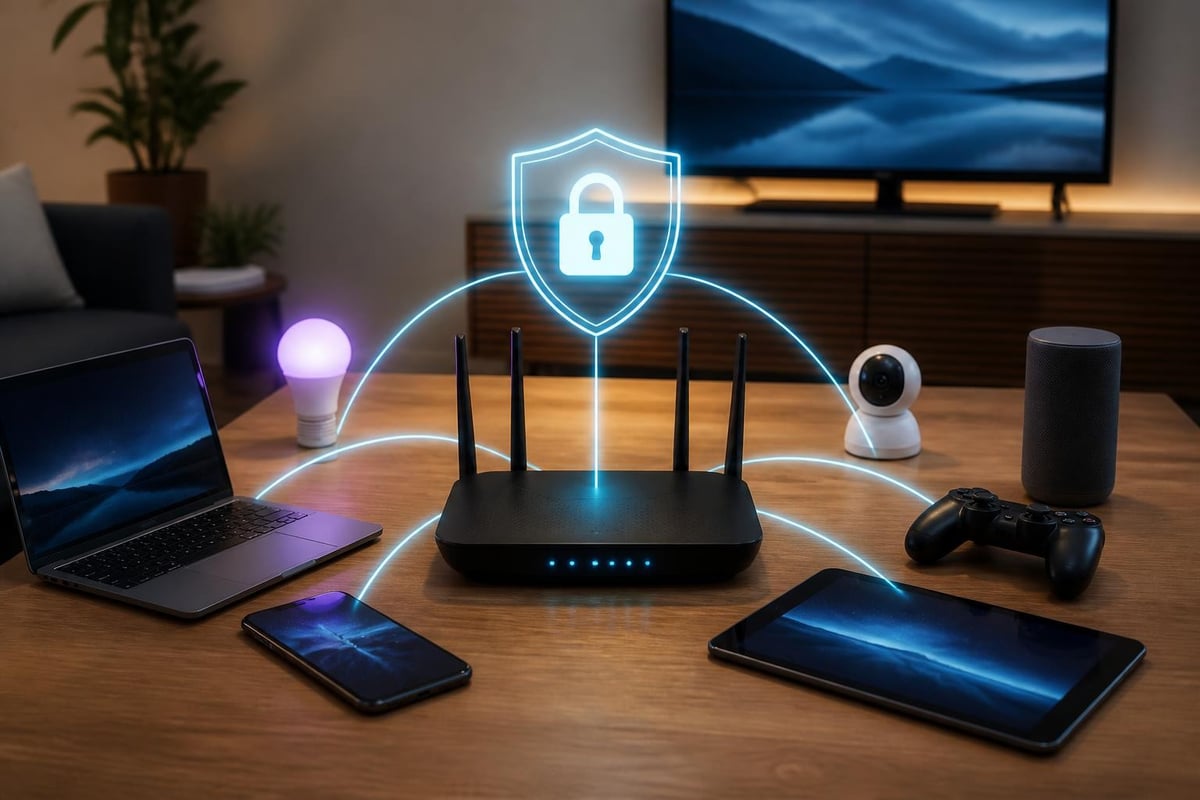
Individual device VPN applications provide protection, but they require separate configuration on each smartphone, tablet, computer, and gaming console. VPN routers offer a more elegant solution by protecting every device connected to your network automatically.
A pre-configured VPN router operates at the network level, establishing a secure VPN connection for all traffic before it leaves your home. This approach means IoT devices, smart televisions, gaming consoles, and guest devices all benefit from IP protection without individual configuration.
Benefits of Router-Level IP Protection
Implementing VPN protection at the router level provides several advantages:
- Universal coverage: Every device connecting to your Wi-Fi automatically inherits IP protection
- No device limits: Protect unlimited devices without counting against VPN connection quotas
- IoT security: Smart home devices that cannot run VPN software still receive protection
- Guest network protection: Visitors to your network benefit from IP masking without configuration
- Consistent security: No risk of forgetting to activate VPN protection on individual devices
Router-based solutions prove particularly valuable for households with multiple users and numerous connected devices, a common scenario in 2026 when the average home contains over twenty internet-connected devices.
Alternative Methods for IP Protection
Whilst VPNs provide comprehensive protection, alternative methods exist for specific use cases. Understanding these options helps you make informed decisions about how to protect my IP address in different scenarios.
Proxy Servers
Proxy servers function as intermediaries between your device and the internet, similar to VPNs but with important distinctions. A proxy server receives your request, forwards it using its own IP address, and returns the results to you.
However, proxies typically lack encryption, meaning your ISP and potential attackers can still monitor your traffic. They work best for simple tasks like bypassing geographic restrictions for specific applications rather than comprehensive privacy protection.
Tor Network
The Tor network routes your traffic through multiple volunteer-operated servers, encrypting data at each layer. This provides strong anonymity but significantly reduces browsing speeds, making it impractical for streaming or gaming. Tor excels for activities requiring maximum anonymity but proves too slow for everyday use.
Mobile Network Switching
Using mobile data instead of Wi-Fi changes your IP address to one assigned by your mobile carrier. This provides basic protection from threats targeting your home IP address but doesn't hide your location or identity from mobile network operators and the websites you visit.
Implementing IP Protection: Practical Steps
Knowing how to protect my IP address requires moving from theory to implementation. These practical steps help you establish robust IP protection.
Choosing the Right VPN Solution
Consider these factors when selecting VPN protection:
- Coverage needs: Determine whether you need individual device protection or network-wide coverage
- Speed requirements: Assess your bandwidth needs for streaming, gaming, or standard browsing
- Geographic locations: Identify which server locations you require for content access
- Protocol support: Verify support for modern protocols like WireGuard or OpenVPN
- Simultaneous connections: Calculate how many devices need protection
For most households and small businesses, router-based solutions provide the optimal balance of convenience, coverage, and cost-effectiveness.
Configuration Best Practices
Proper configuration ensures maximum protection:
- Enable kill switch features: Prevent IP leaks if the VPN connection drops unexpectedly
- Use DNS leak protection: Ensure DNS requests route through the VPN tunnel
- Verify IP masking: Regular testing confirms your real IP remains hidden
- Select optimal servers: Choose nearby servers for speed or distant servers for geographic flexibility
- Enable automatic connection: Configure devices to connect to VPN automatically on startup
Testing Your IP Protection
Regular verification ensures your protection remains effective:
| Test Type | Purpose | Frequency |
|---|---|---|
| IP leak test | Confirm real IP remains hidden | Weekly |
| DNS leak test | Verify DNS requests use VPN | Weekly |
| WebRTC leak test | Check for browser-based IP exposure | Monthly |
| Speed test | Monitor VPN performance | As needed |
Various online tools can perform these tests quickly, providing confirmation that your IP protection functions correctly.
Advanced IP Protection Strategies
Beyond basic VPN usage, advanced techniques provide additional privacy layers for users with heightened security requirements.
IP Rotation and Pinning
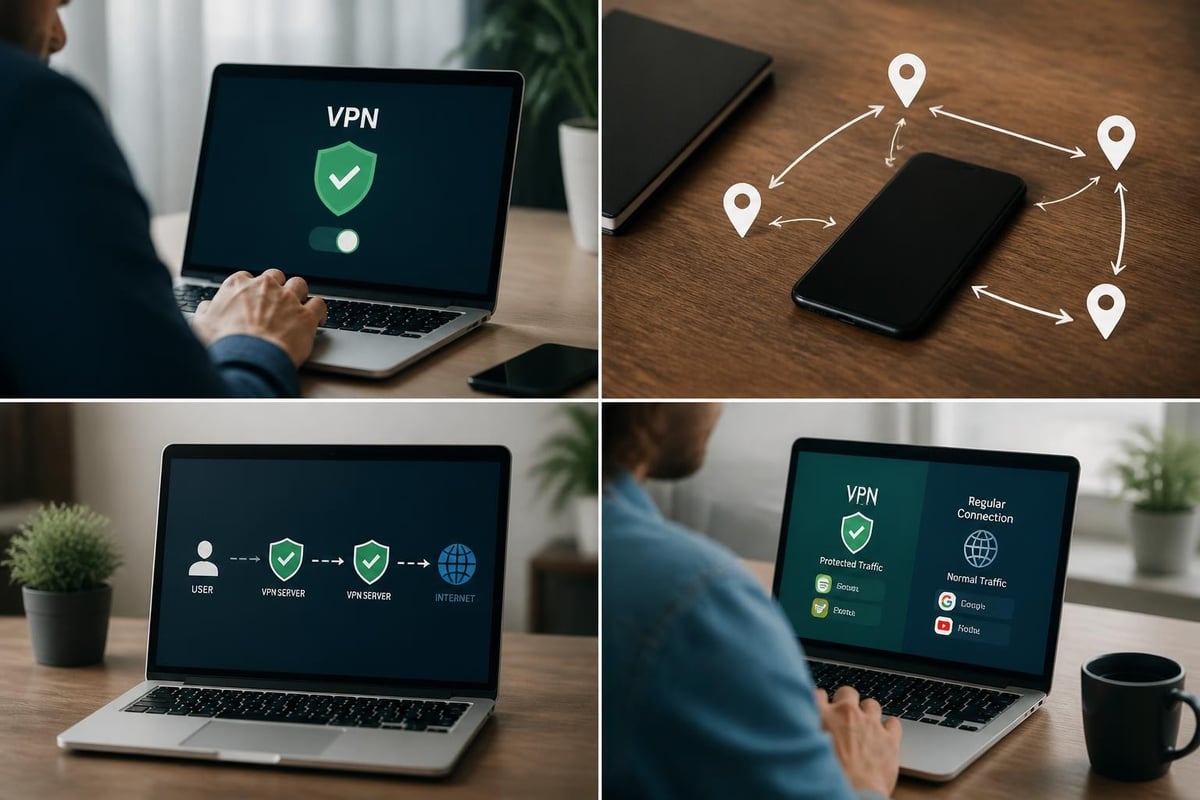
Modern VPN services offer enhanced features for IP management. IP rotation automatically changes your assigned VPN server IP address at regular intervals, making it harder for websites to track your activity across sessions. Conversely, IP pinning allows consistent use of the same IP address across sessions, useful for accessing services that flag frequent IP changes as suspicious.
Multi-Hop VPN Connections
Double VPN or multi-hop configurations route your traffic through two or more VPN servers in different locations. This layered approach provides additional anonymity but reduces connection speeds. Consider multi-hop for particularly sensitive activities where maximum privacy outweighs performance concerns.
Split Tunneling Configuration
Split tunnelling allows selective routing of traffic through the VPN whilst other applications access the internet directly. This proves useful when you need to protect specific activities whilst maintaining full speed for less sensitive tasks.
Benefits include:
- Local network access whilst VPN is active
- Faster speeds for applications that don't require IP masking
- Reduced VPN bandwidth usage
- Ability to access local and international content simultaneously
IP Protection for Specific Use Cases
Different online activities present unique IP protection requirements. Understanding how to protect my IP address for specific scenarios ensures optimal security without unnecessary performance compromises.
Streaming and Content Access
Geographic restrictions limit content availability based on IP address location. VPN protection allows access to international content libraries whilst maintaining privacy. Key considerations include:
- Server locations in countries with desired content
- High bandwidth support for 4K streaming
- Reliable connections without frequent drops
- Smart DNS features for devices that cannot run VPN software
Online Gaming
Gamers face unique IP-related threats, including DDoS attacks from competitors and geographic restrictions on game servers. VPN protection for gaming requires:
- Low latency connections to minimize ping times
- DDoS protection features
- Port forwarding support for hosting game servers
- Stable connections to prevent mid-game disconnections
Remote Work and Business Use
Professional activities often involve sensitive information requiring robust IP protection. Business considerations include:
- Access to company resources through VPN
- Protection of client data and communications
- Compliance with data protection regulations
- Reliable connections for video conferencing
Public Wi-Fi Usage
Public networks in cafés, airports, and hotels present significant security risks. Your IP address and all unencrypted traffic become visible to network operators and potential attackers. VPN protection on public Wi-Fi is essential, providing:
- Encryption of all data transmitted over the network
- IP address masking from network operators
- Protection against man-in-the-middle attacks
- Secure access to banking and sensitive services
Common IP Protection Mistakes to Avoid
Even with VPN technology, certain practices can compromise your IP protection efforts. Avoiding these common errors ensures maximum privacy.
Browser and Application Leaks
WebRTC technology built into modern browsers can leak your real IP address even when connected to a VPN. Disable WebRTC in browser settings or use browser extensions that block these leaks. Additionally, some applications bypass VPN connections entirely, exposing your IP address.
Inconsistent VPN Usage
Forgetting to activate VPN protection before browsing defeats the purpose of IP masking. Router-level solutions eliminate this risk by providing automatic protection, but device-level VPN users must develop consistent activation habits.
Free VPN Services
Free VPN providers often compromise user privacy through data logging, limited encryption, or selling user information to third parties. Understanding IP protection methods helps identify inadequate solutions. Free services may also inject advertisements or limit bandwidth severely.
Neglecting Firmware Updates
VPN routers and applications require regular updates to patch security vulnerabilities. Outdated firmware can expose your network to attacks that compromise IP protection. Enable automatic updates where possible or establish a monthly update schedule.
Legal and Ethical Considerations
Understanding how to protect my IP address includes recognizing the legal framework surrounding VPN usage. In most countries, using VPNs for privacy protection remains entirely legal. However, certain jurisdictions restrict or prohibit VPN usage.
Legitimate Use Cases
VPN technology serves numerous legal and ethical purposes:
- Protecting personal privacy from excessive surveillance
- Securing sensitive business communications
- Safeguarding financial transactions on public networks
- Accessing content while traveling internationally
- Preventing ISP throttling of specific services
Responsible Usage
Whilst IP protection is legal, using it to facilitate illegal activities remains prohibited. VPNs should protect privacy, not enable copyright infringement, hacking, or other criminal behaviour. Responsible VPN usage respects both privacy rights and applicable laws.
Measuring IP Protection Effectiveness
Quantifying your IP protection helps ensure your measures work as intended. Regular assessment identifies vulnerabilities before they lead to privacy breaches.
Key Metrics to Monitor
Track these indicators of effective IP protection:
| Metric | Target | Monitoring Method |
|---|---|---|
| IP leak incidents | Zero | Weekly leak tests |
| DNS leaks | Zero | Weekly DNS tests |
| Connection uptime | >99% | VPN client statistics |
| Speed retention | >70% of baseline | Regular speed tests |
| Server availability | Multiple options | VPN provider status |
Response to Protection Failures
If testing reveals IP leaks or connection failures:
- Immediately disconnect from the internet to prevent further exposure
- Verify VPN configuration settings match recommended parameters
- Test alternative VPN servers to identify server-specific issues
- Contact VPN provider support for technical assistance
- Consider alternative VPN solutions if problems persist
Future-Proofing Your IP Protection
The digital privacy landscape continues evolving, with new threats emerging alongside improved protection technologies. Staying ahead requires understanding upcoming trends and preparing accordingly.
Emerging Technologies
Several technologies will shape IP protection in coming years:
- Quantum-resistant encryption: Preparing for quantum computing threats to current encryption standards
- Decentralized VPN networks: Peer-to-peer VPN solutions distributing traffic across user-operated nodes
- AI-powered threat detection: Intelligent systems identifying and responding to IP-based attacks automatically
- IPv6 adoption: The expanded address space of IPv6 requires updated protection strategies
Adapting to Regulatory Changes
Data protection regulations continue expanding globally, affecting how organizations handle IP addresses and user data. Analysis of IP-based security threats informs evolving security standards. Staying informed about regulatory developments ensures your IP protection methods remain compliant and effective.
Maintaining Long-Term IP Security
Effective IP protection requires ongoing attention rather than one-time configuration. Developing sustainable security habits ensures lasting privacy.
Regular Security Audits
Conduct quarterly reviews of your IP protection measures:
- Test all devices for IP leaks and proper VPN connectivity
- Review VPN service performance and reliability metrics
- Assess whether server locations meet your current needs
- Verify that all new devices receive proper protection
- Update configurations to reflect changed requirements
Staying Informed
Subscribe to security newsletters, follow VPN provider announcements, and monitor privacy advocacy organizations for updates on threats and protection methods. Understanding how to protect my IP address evolves as technology advances and new vulnerabilities emerge.
Education for Household Members
If multiple people share your network, ensure everyone understands basic IP privacy concepts and the importance of maintaining VPN protection. Create simple guides for common tasks like verifying VPN connectivity or reporting connection issues.
Protecting your IP address in 2026 requires understanding both the threats you face and the comprehensive solutions available to counter them. From VPN technology and router-based protection to advanced strategies like IP rotation and multi-hop connections, you have numerous options for securing your digital identity. U Shield VPN provides pre-configured VPN routers that protect every device on your network automatically, combining WireGuard and OpenVPN protocols with plug-and-play simplicity to deliver robust IP protection without complex configuration. Whether you're streaming content, gaming online, working remotely, or simply browsing the web, securing your IP address protects your privacy and enhances your online security.
