






Setting up a private internet access router represents one of the most effective strategies for securing your entire network with a single configuration. Rather than installing VPN software on individual devices, a router-level implementation ensures that every smartphone, smart television, gaming console, and Internet of Things device benefits from encrypted connections and enhanced privacy. This approach eliminates the need for multiple subscriptions whilst providing comprehensive protection that extends to devices that don't traditionally support VPN applications. Understanding how to properly configure and optimise your private internet access router can transform your network security posture whilst maintaining the performance and reliability your household or business demands.
Understanding Router-Level VPN Protection
A private internet access router functions as the gateway between your network and the broader internet, encrypting all data before it leaves your premises. This architectural approach differs fundamentally from device-specific VPN applications that only protect traffic from individual gadgets.
When you configure a router with VPN capabilities, you're essentially creating a secure tunnel through which all network traffic must pass. This methodology offers several distinct advantages over traditional approaches. Every device automatically receives protection the moment it connects to your wireless network, eliminating the common problem of forgotten VPN activation on individual devices.
Network-Wide Security Benefits
The comprehensive nature of router-based VPN protection extends to devices that typically cannot run VPN software independently. Smart home devices, streaming boxes, gaming consoles, and legacy equipment all benefit from the encrypted connection without requiring any individual configuration.
- Automatic protection for all connected devices
- Simplified management through centralised configuration
- Consistent security without user intervention
- Extended compatibility with VPN-incompatible devices
- Single point of control for network security policies
This unified approach proves particularly valuable for households with multiple users or businesses supporting numerous endpoints. Rather than managing individual VPN clients across dozens of devices, administrators can enforce security policies at the router level.
Technical Requirements and Compatibility
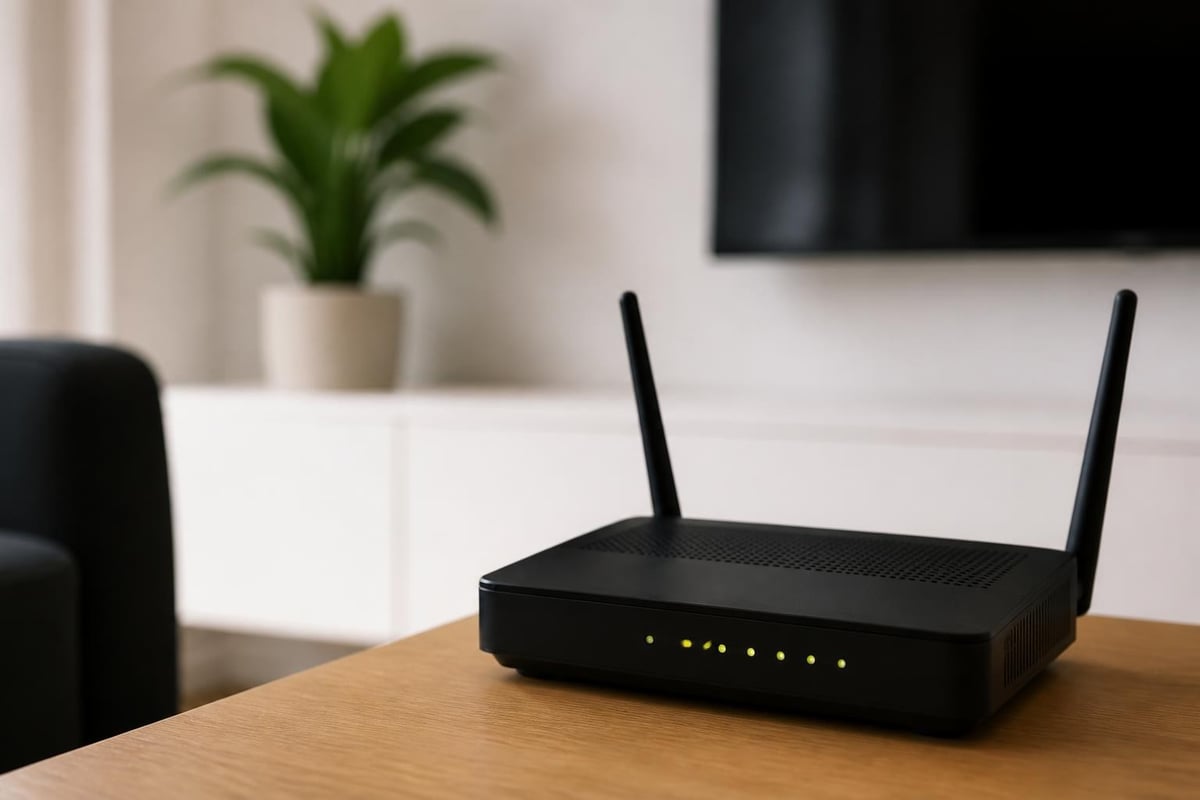
Not all routers support VPN functionality out of the box. Understanding the technical requirements before purchasing or configuring equipment ensures a smooth implementation process.
Most consumer-grade routers lack the processing power and firmware capabilities necessary for VPN operations. You'll need hardware that supports either custom firmware installations or includes native VPN client functionality. The router must have sufficient processing power to handle encryption and decryption operations without significantly degrading network speeds.
Hardware Specifications
| Component | Minimum Requirement | Recommended Specification |
|---|---|---|
| Processor | Dual-core 800MHz | Quad-core 1.4GHz+ |
| RAM | 256MB | 512MB or higher |
| Flash Storage | 128MB | 256MB or higher |
| Firmware Support | OpenWrt, DD-WRT, Tomato, or Native VPN | Latest version with WireGuard |
Modern protocols like WireGuard require significantly less processing overhead than older implementations, making them ideal for router deployments. According to TechRadar’s comprehensive evaluation, service compatibility with various router firmware options plays a crucial role in determining overall performance and reliability.
Firmware Options
Several firmware alternatives enable VPN functionality on compatible routers. OpenWrt provides extensive customisation options and supports a wide range of hardware platforms. DD-WRT offers a more user-friendly interface whilst maintaining robust VPN capabilities. Tomato firmware presents another viable option with a focus on simplicity and performance monitoring.
For users seeking the simplest path to router-level protection, pre-configured VPN routers eliminate the complexity of firmware installation and manual configuration. U Shield VPN offers pre-configured VPN routers that arrive ready to protect your network immediately, supporting both WireGuard and OpenVPN protocols without requiring technical expertise.
Configuration Process and Setup Steps
Configuring a private internet access router requires attention to detail and systematic approach to ensure optimal performance and security. The exact steps vary depending on your firmware and VPN provider, but the fundamental process remains consistent across implementations.
Initial Router Preparation
- Backup existing configuration before making any changes
- Update router firmware to the latest stable version
- Document current network settings including IP addresses and DHCP ranges
- Gather VPN credentials and server information from your provider
- Identify optimal server locations based on your geographic location and usage requirements
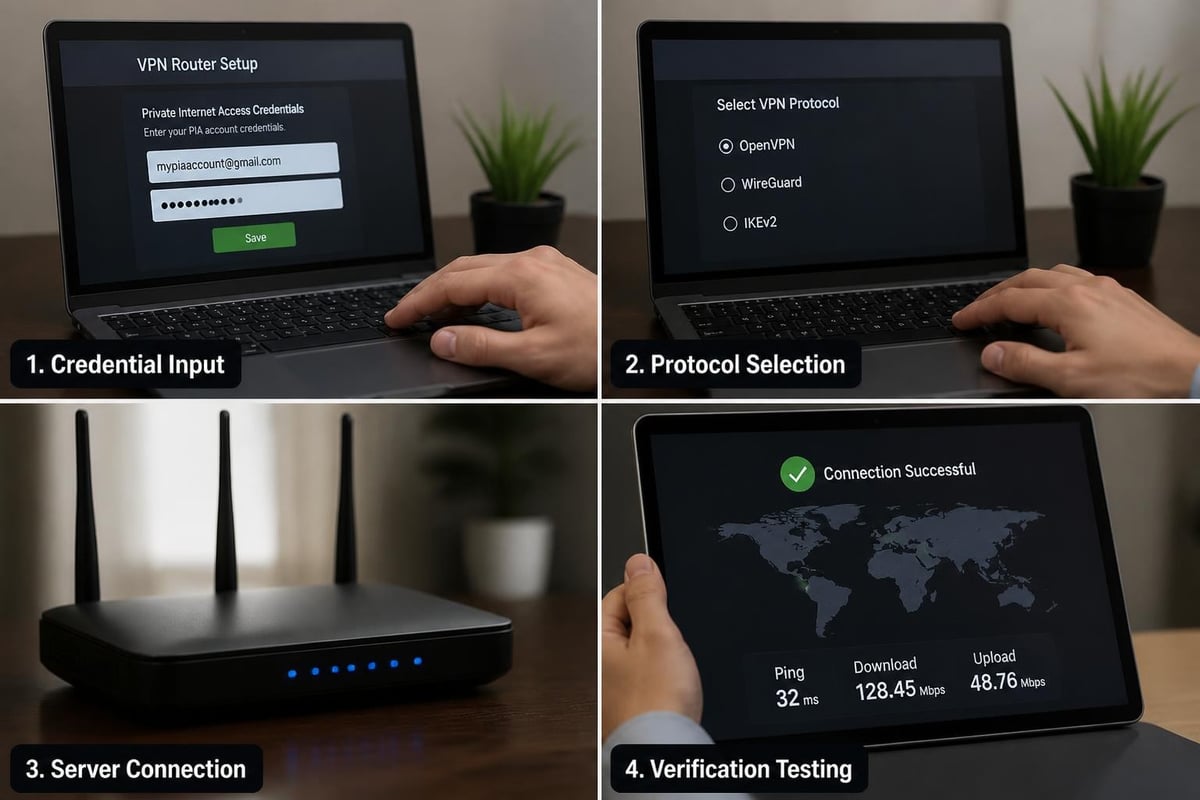
Begin by accessing your router's administration interface through a web browser. Most routers use addresses like 192.168.1.1 or 192.168.0.1, though this varies by manufacturer. Locate the VPN client section within the advanced settings or security menu.
VPN Client Configuration
The configuration interface typically requires several pieces of information to establish a secure connection. You'll need to specify the VPN protocol (WireGuard, OpenVPN, or IKEv2), enter server addresses, provide authentication credentials, and configure encryption settings.
WireGuard Configuration:
- Generate or import private and public keys
- Specify endpoint addresses and listening ports
- Configure allowed IP ranges for routing
- Set persistent keepalive intervals for stable connections
OpenVPN Configuration:
- Upload or paste the provider's configuration file
- Enter username and password credentials
- Select authentication and encryption algorithms
- Configure DNS leak protection settings
As demonstrated in this detailed video tutorial, visual guidance can significantly simplify the configuration process for users less familiar with router administration interfaces.
Optimising Performance and Speed
A properly configured private internet access router should maintain acceptable speeds whilst providing comprehensive protection. Several factors influence performance, and understanding these variables enables effective optimisation.
Encryption overhead inevitably impacts throughput, but modern protocols minimise this effect. WireGuard typically delivers superior performance compared to older protocols, often achieving speeds within 10-15% of unencrypted connections on capable hardware.
Performance Optimisation Strategies
Server selection plays a crucial role in determining connection speeds and latency. Geographic proximity generally correlates with better performance, though server load and routing efficiency also matter significantly. Testing multiple servers within your region helps identify the optimal configuration for your specific needs.
- Select servers geographically closest to your location
- Test during different times of day to assess load variations
- Enable compression features if available (though WireGuard doesn't typically require this)
- Verify DNS settings point to fast, privacy-respecting resolvers
- Monitor CPU usage on your router to identify processing bottlenecks
Protocol selection dramatically affects performance characteristics. WireGuard's streamlined codebase and modern cryptographic approach typically delivers the best balance of security and speed for router implementations. Research into privacy-preserving router architectures demonstrates that efficient protocol design significantly impacts overall system performance.
Bandwidth Management
Implementing Quality of Service (QoS) rules helps prioritise time-sensitive traffic like video calls and gaming whilst ensuring bulk downloads don't monopolise your encrypted connection. Configure QoS settings to assign higher priority to latency-sensitive applications and reserve bandwidth for critical services.
| Traffic Type | Priority Level | Recommended Bandwidth Allocation |
|---|---|---|
| VoIP/Video Calls | Highest | 10-20% reserved |
| Gaming | High | 15-25% reserved |
| Streaming Video | Medium | 30-40% allocated |
| Web Browsing | Medium | 20-30% allocated |
| File Downloads | Low | Remaining bandwidth |
Security Considerations and Best Practices
Implementing a private internet access router requires attention to security best practices beyond basic configuration. Several potential vulnerabilities can undermine your privacy if not properly addressed.
DNS leak prevention ensures that domain name queries don't bypass the VPN tunnel and expose your browsing activity. Configure your router to use DNS servers provided by your VPN service rather than those assigned by your internet service provider. Enable DNS leak protection features within your router firmware if available.
Kill Switch Implementation
A kill switch prevents internet access if the VPN connection drops unexpectedly, ensuring no unencrypted traffic ever leaves your network. Implementation methods vary by firmware:
Firewall-based approach: Configure firewall rules that only permit traffic through the VPN interface, blocking all communication through the standard WAN connection except for VPN authentication traffic.
Script-based monitoring: Deploy scripts that continuously monitor VPN connection status and disable internet access if the tunnel disconnects, re-enabling connectivity only after the VPN successfully reconnects.
IPv6 Leak Prevention
Many VPN configurations overlook IPv6 traffic, potentially exposing your activities despite IPv4 protection. Unless your VPN provider explicitly supports IPv6 routing, disable IPv6 entirely on your router to prevent leaks. This configuration ensures all traffic routes through the encrypted IPv4 tunnel.
Research into security and privacy in network design emphasises the importance of comprehensive protocol coverage when implementing privacy solutions at the network level.
Advanced Configuration Options
Beyond basic setup, several advanced configurations enhance the functionality and flexibility of your private internet access router implementation.
Split Tunneling Configuration
Split tunneling allows selective routing of traffic through the VPN tunnel whilst permitting other connections to bypass encryption. This configuration proves useful for services that block VPN traffic or applications that require direct access to local network resources.
Configure policy-based routing rules that specify which devices, applications, or destinations should utilise the VPN connection. Typical use cases include:
- Routing streaming devices through specific geographic servers to access regional content
- Bypassing the VPN for smart home devices that communicate with local hubs
- Directing gaming traffic to low-latency servers whilst routing general browsing through privacy-focused endpoints
- Enabling banking applications that restrict VPN access to connect directly
Multi-Server Configurations
Advanced users may configure multiple VPN connections simultaneously, routing different categories of traffic through separate servers. This approach enables geographic flexibility whilst maintaining optimal performance for various use cases.
Implement VLAN segmentation to create separate network segments, each with its own VPN configuration. Guest networks might route through nearby servers for maximum speed, whilst privacy-focused devices connect through jurisdictions with strong data protection laws.
Troubleshooting Common Issues
Even properly configured private internet access router setups occasionally encounter connectivity problems or performance degradation. Systematic troubleshooting identifies and resolves these issues efficiently.
Connection Stability Problems
If your VPN connection frequently disconnects or fails to establish, several factors might be responsible. Verify that your router's system time is accurate, as many VPN protocols rely on time synchronisation for authentication. Check that firewall rules aren't inadvertently blocking VPN traffic, and confirm that your internet service provider isn't throttling or blocking VPN connections.
Diagnostic steps:
- Test connectivity without VPN to isolate router-specific issues
- Try alternative VPN servers to identify server-specific problems
- Verify credentials and configuration file accuracy
- Check router logs for specific error messages
- Update router firmware to address known bugs
Speed and Performance Issues
Slower-than-expected speeds through your private internet access router might result from hardware limitations, suboptimal server selection, or configuration problems. Monitor router CPU usage during heavy traffic periods to determine whether processing power represents a bottleneck.
According to Tom’s Guide’s analysis, server infrastructure quality and geographic distribution significantly impact user experience, making server selection critical for optimal performance.
Test speeds to multiple servers across different regions to establish performance baselines. If all connections underperform expectations, consider whether your router hardware possesses sufficient processing power for your bandwidth tier and encryption requirements.
Maintenance and Ongoing Management
Maintaining your private internet access router configuration ensures continued security and optimal performance over time. Regular maintenance activities prevent degradation and keep your system protected against emerging threats.
Firmware Updates
Router manufacturers and firmware developers regularly release updates addressing security vulnerabilities and improving performance. Establish a quarterly schedule for checking and applying firmware updates, prioritising security patches that address critical vulnerabilities.
Before applying updates, backup your current configuration to enable rapid restoration if problems arise. Test updated firmware during low-usage periods to minimise disruption if issues emerge.
Security Audits
Periodically verify that your security configurations remain effective. Test for DNS leaks using online diagnostic tools, confirm that your kill switch properly blocks traffic during VPN failures, and verify that IPv6 traffic isn't bypassing your encrypted tunnel.
Monthly checklist:
- Verify VPN connection stability and uptime
- Test DNS leak protection functionality
- Review router logs for anomalous activity
- Confirm kill switch operation
- Check for firmware updates
- Validate performance against baseline metrics
Rotate VPN credentials according to your provider's recommendations, typically every 90-180 days for enhanced security. Update stored passwords and configuration files to reflect new authentication information.
Implementing a private internet access router transforms network security from a device-by-device challenge into a comprehensive, centralised solution that protects your entire digital ecosystem. Whether you choose to configure existing hardware or opt for a pre-configured solution, router-level VPN protection delivers unmatched convenience and thoroughness. U Shield VPN specialises in removing the complexity from this process with pre-configured routers that arrive ready to protect your network, supporting both WireGuard and OpenVPN protocols whilst providing expert support to ensure your privacy remains uncompromised across every connected device.
