






Your IP address serves as your digital identifier on the internet, revealing your approximate location, internet service provider, and online activities to websites, advertisers, and potentially malicious actors. Understanding how to protect my IP address has become essential for anyone concerned about online privacy, security, and freedom. This comprehensive guide explores the threats associated with exposed IP addresses, practical protection methods, and technologies that safeguard your digital footprint across all your connected devices.
Understanding IP Address Vulnerabilities
Every device connected to the internet receives a unique IP address that acts as its digital postal code. This identifier allows data to reach your device correctly, but it also creates privacy and security concerns that many users underestimate.
What Your IP Address Reveals
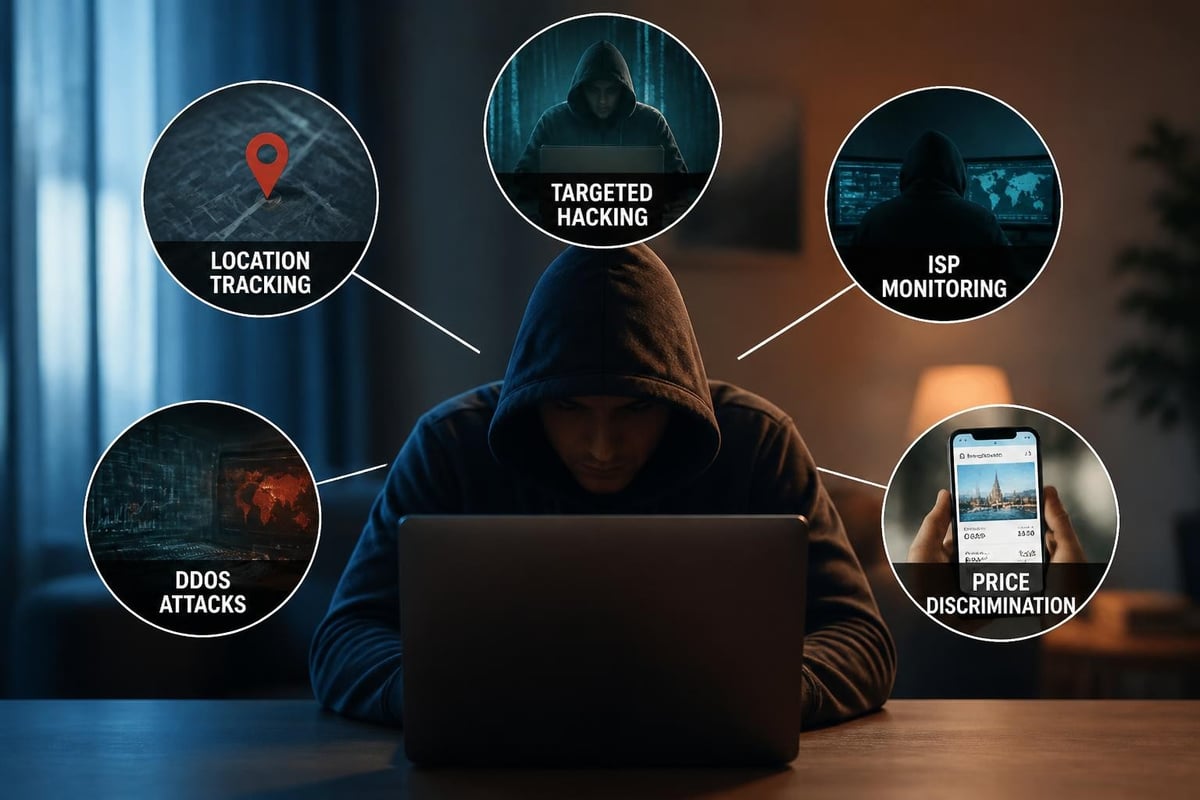
Your IP address exposes more information than most people realize. Websites can determine your geographical location down to city level, identify your internet service provider, and track your browsing patterns across multiple sites. This data collection enables targeted advertising, price discrimination, and detailed user profiling.
Beyond commercial tracking, exposed IP addresses create security vulnerabilities that malicious actors can exploit. Cybercriminals use visible IP addresses to launch distributed denial-of-service (DDoS) attacks, attempt unauthorized access to your network, or gather intelligence for social engineering attacks.
| Vulnerability Type | Potential Impact | Risk Level |
|---|---|---|
| Location Tracking | Privacy loss, physical security risks | Medium |
| ISP Monitoring | Activity logging, bandwidth throttling | Medium |
| DDoS Attacks | Service disruption, network downtime | High |
| Targeted Hacking | Data theft, unauthorized access | High |
| Price Discrimination | Higher costs based on location | Low |
Primary Methods to Protect My IP Address
Several technologies effectively mask or encrypt your IP address, each offering distinct advantages for different use cases. Selecting the right protection method depends on your specific privacy requirements, technical expertise, and intended applications.
Virtual Private Networks
VPNs represent the most comprehensive solution for IP address protection. These services create encrypted tunnels between your device and remote servers, replacing your real IP address with one from the VPN provider's server network. This technology protects my IP address whilst maintaining fast connection speeds suitable for streaming, gaming, and everyday browsing.
Modern VPN protocols like WireGuard and OpenVPN offer robust encryption without significantly impacting performance. WireGuard uses cutting-edge cryptography with minimal code overhead, delivering speeds that approach unencrypted connections. OpenVPN provides battle-tested security with broad compatibility across platforms and devices.
The effectiveness of VPN protection extends beyond simple IP masking:
- DNS leak prevention ensures your DNS queries don't bypass the VPN tunnel
- Kill switch functionality blocks internet access if the VPN connection drops
- Split tunneling allows selective routing for specific applications
- Multi-hop connections route traffic through multiple servers for enhanced anonymity
Network-Level Protection Through VPN Routers
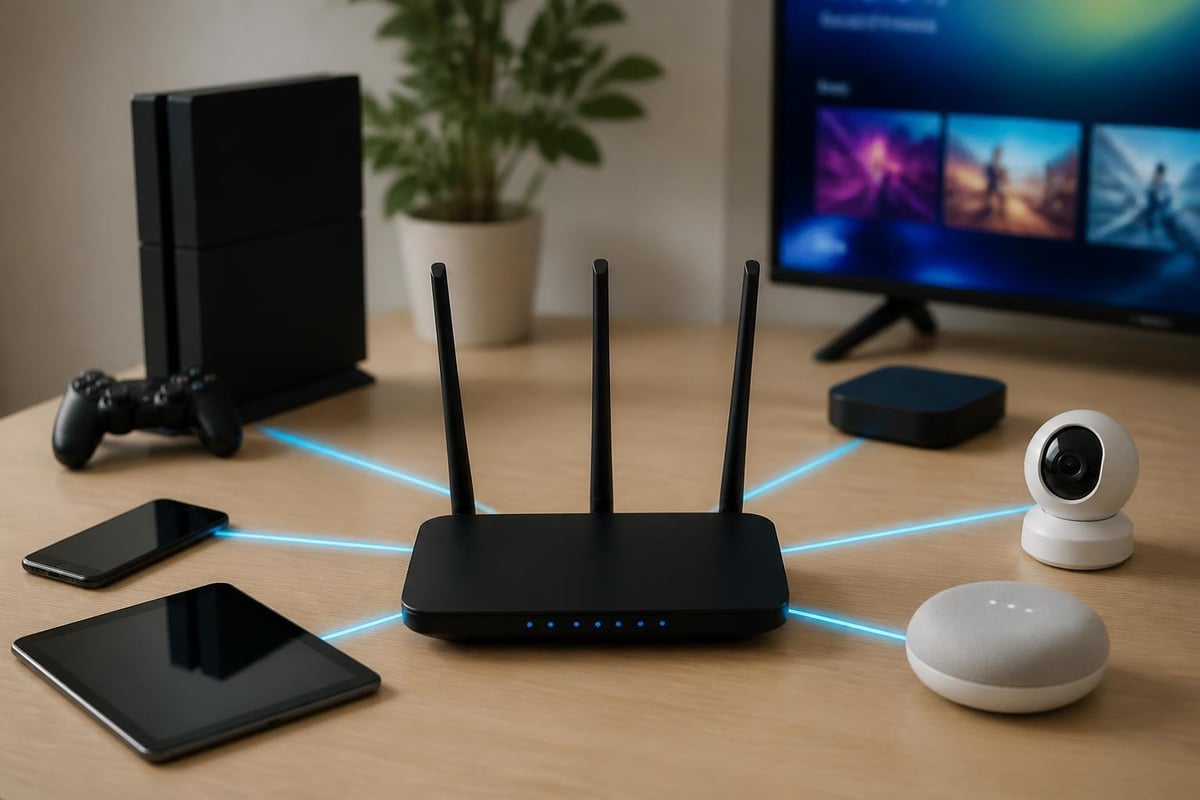
Implementing VPN protection at the router level offers significant advantages over device-by-device installation. When you configure a VPN router, every device connecting to your network automatically receives IP address protection without individual software installation or configuration.
Pre-configured VPN routers eliminate the technical complexity traditionally associated with router-level VPN deployment. These plug-and-play devices arrive ready to connect, providing immediate protection for smartphones, tablets, smart TVs, gaming consoles, and IoT devices that cannot run VPN software independently.
Alternative Protection Methods
Proxy servers provide basic IP masking by routing your requests through intermediary servers. However, proxies typically lack encryption and only protect browser traffic rather than all network activity. They serve well for simple geo-restriction bypassing but offer limited security benefits.
The Tor network delivers maximum anonymity by routing traffic through multiple volunteer-operated nodes, making it nearly impossible to trace activity back to your original IP address. This method excels for privacy-critical applications but suffers from extremely slow speeds unsuitable for streaming or large downloads.
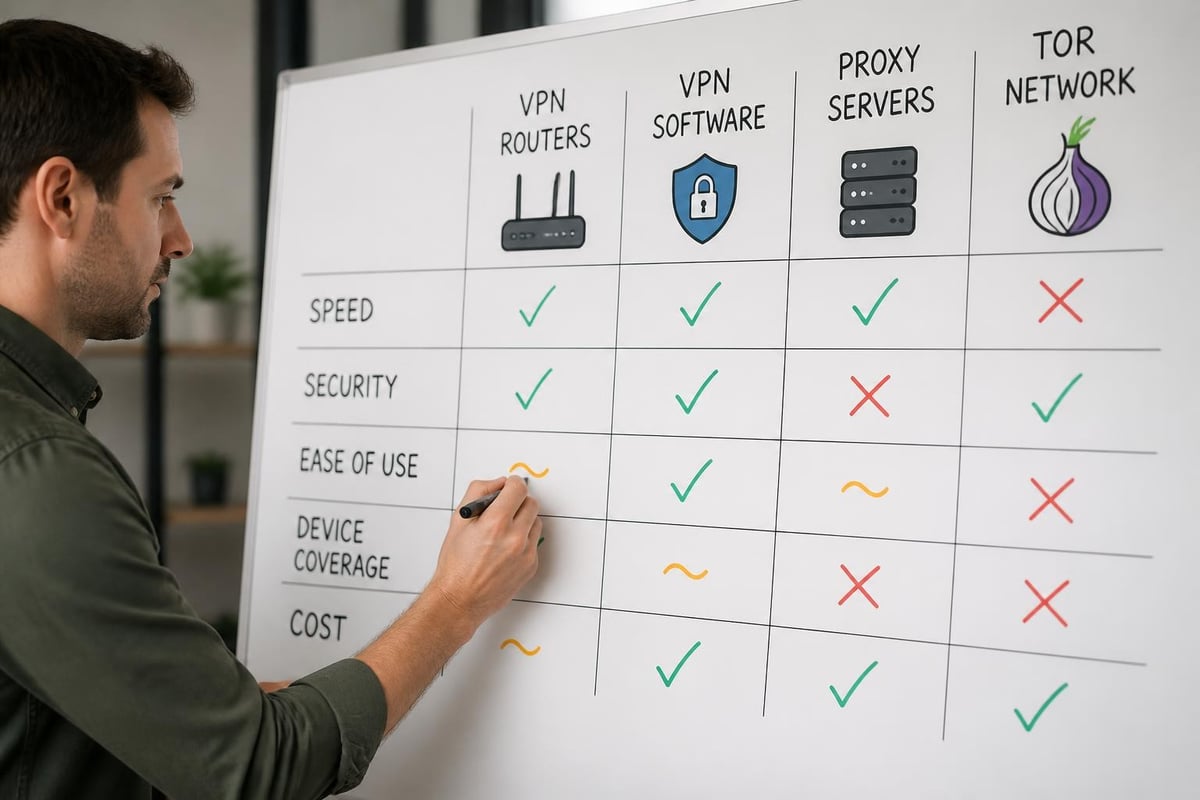
Comparing IP Protection Technologies
Different protection methods suit different scenarios, and understanding their strengths and limitations helps you make informed decisions about safeguarding your digital identity.
| Protection Method | Speed | Security | Ease of Use | Device Coverage | Cost |
|---|---|---|---|---|---|
| VPN Software | High | Excellent | Moderate | Single device | Monthly subscription |
| VPN Router | High | Excellent | Easy | All devices | One-time + subscription |
| Proxy Server | Medium | Basic | Easy | Browser only | Often free |
| Tor Network | Very Low | Maximum | Moderate | Single device | Free |
| Mobile Hotspot | High | None | Easy | Connected devices | Carrier charges |
Advanced IP Protection Strategies
Beyond basic masking, sophisticated users implement layered protection strategies that combine multiple technologies for comprehensive privacy and security.
IP Rotation and Dynamic Addressing
Static IP addresses create predictable patterns that enable long-term tracking and profiling. Advanced VPN features like automatic IP rotation periodically change your visible IP address, making correlation attacks significantly more difficult.
Dedicated IP addresses offer the opposite approach, providing consistent access to services that flag frequently changing IPs as suspicious. This proves valuable for accessing corporate networks, managing servers, or using services that restrict multiple logins from different locations.
Multi-Hop VPN Connections
Double VPN or multi-hop connections route your traffic through two or more VPN servers in different locations. This architecture means that even if one server's logs were compromised, attackers still couldn't trace activity back to your original IP address.
The trade-off involves reduced connection speeds due to additional encryption layers and routing hops. Users requiring maximum anonymity for sensitive communications find this acceptable, whilst casual users prioritize performance.
DNS Privacy Configuration
DNS queries can leak your browsing history even when using a VPN. Protect my IP address strategies must include DNS protection through:
- Encrypted DNS protocols (DNS over HTTPS or DNS over TLS)
- VPN provider DNS servers rather than ISP defaults
- DNS leak testing to verify proper configuration
- Local DNS caching to minimize external queries
Implementation Best Practices
Successfully protecting your IP address requires proper configuration and ongoing maintenance to ensure continuous privacy and security.
Router Configuration Steps
Deploying VPN protection at the network level provides the most comprehensive coverage. The process involves several critical stages:
- Select appropriate VPN protocols based on your security and performance requirements
- Configure automatic connection on startup to prevent unprotected internet access
- Enable kill switch functionality at the router level
- Set up guest networks for visitors who don't require VPN protection
- Verify IP address masking using online testing tools
- Document configuration settings for troubleshooting and recovery
Device-Specific Considerations
Different devices present unique challenges when implementing IP protection:
Smartphones and tablets benefit from dedicated VPN apps but may experience battery drain. Configure these apps to connect automatically on mobile networks whilst allowing direct connections on trusted home networks protected by VPN routers.
Smart TVs and streaming devices rarely support VPN software natively. Router-level protection becomes essential for these devices, or alternatively, configure DNS-based VPN services that work through modified DNS settings.
Gaming consoles require careful VPN configuration to maintain low latency and avoid NAT-related connectivity issues. Select VPN servers geographically close to game servers and enable UPnP on your VPN router when necessary.
IoT devices often lack any security features and cannot run protection software. Network-level VPN implementation through routers represents the only practical method to protect my IP address for these vulnerable devices.
Privacy Laws and IP Protection
Legal frameworks surrounding IP addresses and privacy vary significantly across jurisdictions, affecting both the need for protection and available methods.
Data Protection Regulations
The EU's General Data Protection Regulation (GDPR) classifies IP addresses as personal data requiring protection. Organizations must justify their collection and processing of IP addresses whilst providing individuals with control over this information.
California Consumer Privacy Act (CCPA) grants California residents similar rights regarding their personal information, including IP addresses. These regulations increasingly pressure websites to minimize tracking and respect user privacy preferences.
Legal Considerations for VPN Usage
Whilst VPN usage remains legal in most countries, some nations restrict or ban these technologies:
- China requires government-approved VPN services
- Russia prohibits VPNs that don't comply with content blocking requirements
- UAE restricts VPN usage for certain applications
- Iran only permits state-approved VPN providers
Understanding local regulations ensures you protect my IP address without violating applicable laws. Most democratic nations fully permit VPN usage for privacy and security purposes.
Common IP Protection Mistakes
Even security-conscious users make configuration errors that compromise their IP protection efforts.
Configuration Pitfalls
DNS leaks represent the most common vulnerability. Your VPN may successfully hide your IP address whilst DNS queries bypass the encrypted tunnel, revealing your browsing activity to your ISP. Regular testing using dedicated DNS leak detection tools prevents this exposure.
WebRTC leaks occur when web browsers expose your real IP address through WebRTC protocols even whilst connected to a VPN. Disable WebRTC in browser settings or install browser extensions that prevent these leaks.
IPv6 leaks happen when your VPN only routes IPv4 traffic, allowing IPv6 connections to bypass protection. Either disable IPv6 on your devices or ensure your VPN provider supports IPv6 routing.
Operational Security Failures
Using the same VPN server location consistently reduces anonymity benefits. Rotate between different server locations to prevent pattern recognition and correlation attacks.
Browser fingerprinting can identify you even with a masked IP address through unique combinations of browser settings, installed fonts, and system configurations. Privacy-focused browsers and anti-fingerprinting extensions complement IP protection efforts.
Failing to verify IP masking after configuration leaves you exposed. Always test your visible IP address using multiple online tools after implementing protection measures.
Performance Optimization
Protecting your IP address needn't significantly impact internet performance when properly configured.
Server Selection Strategies
Geographic proximity to VPN servers directly affects connection speeds. Select servers within 1,000 kilometers of your physical location for optimal performance whilst still gaining IP protection benefits.
Server load balancing prevents connection to overcrowded servers that suffer from reduced speeds. Modern VPN routers and applications display real-time server load information, enabling intelligent selection.
Protocol optimization balances security and performance. WireGuard typically delivers the fastest speeds, whilst OpenVPN offers maximum compatibility. Test both protocols to determine which performs best for your specific network conditions.
Bandwidth Management
- Split tunneling configuration routes only sensitive traffic through the VPN
- Quality of Service (QoS) settings prioritize critical applications
- Connection limits prevent excessive simultaneous device connections
- Scheduled connections activate VPN protection only when needed
| Optimization Technique | Speed Improvement | Setup Complexity | Security Impact |
|---|---|---|---|
| Nearby Server Selection | 20-40% | Low | None |
| WireGuard Protocol | 30-50% | Low | Positive |
| Split Tunneling | 50-80% | Medium | Reduced for excluded traffic |
| QoS Configuration | 15-25% | High | None |
Monitoring and Maintenance
Continuous monitoring ensures your IP protection measures remain effective over time.
Regular Testing Procedures
Monthly IP verification confirms your visible IP address differs from your actual ISP-assigned address. Visit multiple IP checking websites whilst connected to your VPN to verify consistent masking.
DNS leak testing should occur after any network configuration changes, operating system updates, or VPN software modifications. Free online tools detect whether DNS queries bypass your VPN tunnel.
Connection stability monitoring identifies VPN disconnections that temporarily expose your real IP address. Enable logging on your VPN router to track connection drops and investigate recurring issues.
Update Management
VPN software and router firmware require regular updates to maintain security and performance:
- Automatic firmware updates keep router security patches current
- VPN client updates provide protocol improvements and bug fixes
- Subscription renewal monitoring prevents service lapses
- Configuration backups enable quick recovery after updates
Business and Enterprise Applications
Organizations face unique challenges when implementing IP protection for distributed teams and sensitive operations.
Remote Workforce Protection
Remote employees accessing company resources need to protect my IP address to prevent corporate network exposure. Site-to-site VPN configurations create secure tunnels between home offices and corporate networks, masking employee IP addresses whilst maintaining access to internal systems.
Zero Trust architecture assumes all network traffic poses potential threats, requiring verification regardless of source IP address. This approach complements IP protection by adding authentication layers beyond simple IP-based access controls.
Compliance Requirements
Many industries mandate IP address protection as part of broader security frameworks:
- Healthcare organizations must protect patient data under HIPAA regulations
- Financial services require secure communications to prevent fraud
- Legal professionals need confidential client communications
- Journalists and activists protect source identities through IP masking
Implementing network-level VPN protection through configured routers simplifies compliance by automatically securing all connected devices without relying on individual user configuration.
Emerging Technologies and Future Trends
IP protection technologies continue evolving to address new threats and privacy challenges.
Next-Generation Protocols
WireGuard adoption accelerates as providers recognize its superior performance and security profile. This modern protocol requires only 4,000 lines of code compared to OpenVPN's 70,000+ lines, reducing attack surfaces whilst improving audibility.
Quantum-resistant encryption prepares VPN infrastructure for future threats from quantum computing. Forward-thinking providers implement post-quantum cryptographic algorithms to protect my IP address against advanced computational attacks.
Privacy-Enhancing Technologies
Decentralized VPNs distribute trust across multiple independent nodes rather than centralizing it with single providers. These blockchain-based systems prevent any single entity from correlating user activity with IP addresses.
Anonymous credential systems allow service access without revealing identifying information including IP addresses. Zero-knowledge proofs enable verification without exposure, fundamentally changing how online services handle user identity.
Protecting your IP address in 2026 requires understanding both the threats you face and the technologies available to counter them. Whether you're concerned about ISP tracking, targeted advertising, or malicious attacks, implementing comprehensive IP protection safeguards your privacy, security, and online freedom. U Shield VPN offers pre-configured VPN routers that protect every device on your network automatically, combining enterprise-grade security with plug-and-play simplicity to ensure your IP address remains private without technical complexity.
