






Installing router NordVPN has become increasingly popular amongst home users, remote workers, and businesses seeking comprehensive network protection. Rather than installing VPN software on individual devices, configuring NordVPN directly on your router ensures every connected device benefits from encrypted internet traffic, location masking, and enhanced privacy. This approach streamlines security management whilst simultaneously protecting smartphones, tablets, smart televisions, gaming consoles, and IoT devices that typically cannot run standalone VPN applications. Understanding how to properly configure and optimise router NordVPN ensures maximum performance, security, and reliability across your entire network.
Understanding Router NordVPN Configuration Benefits
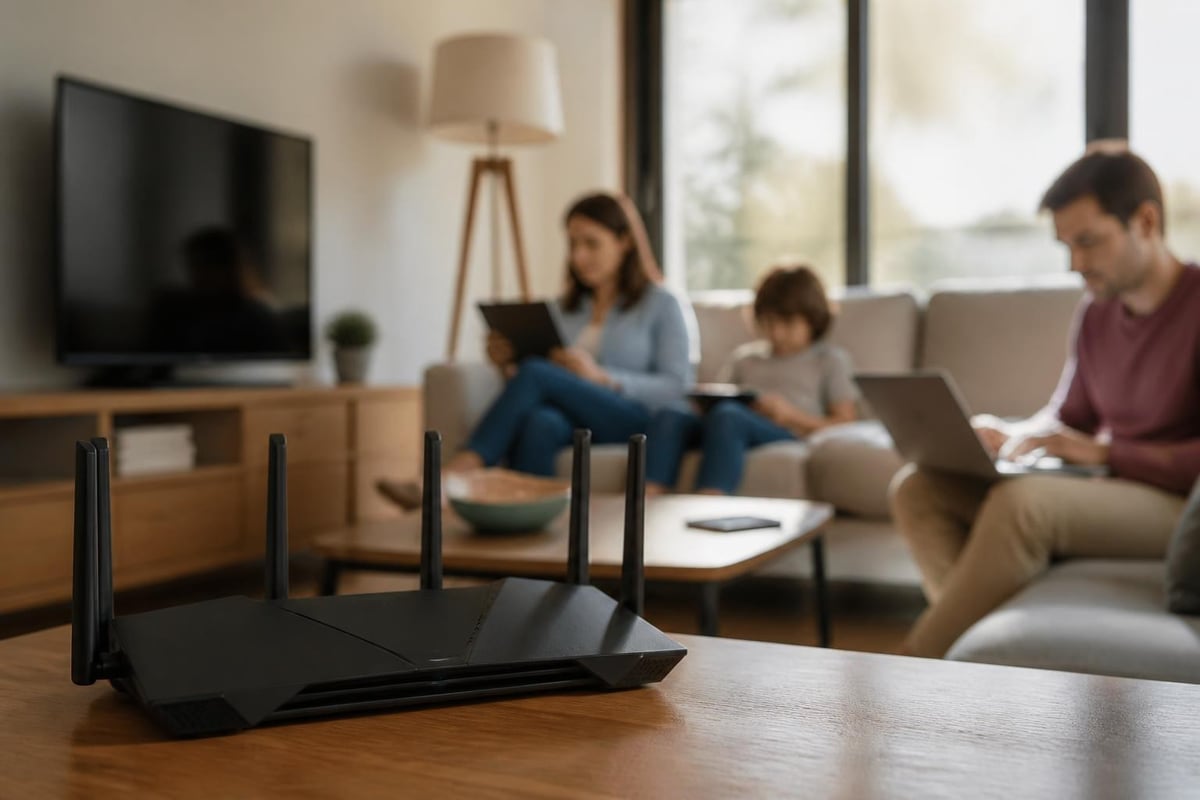
When you configure NordVPN at the router level, you create a secure gateway that protects all network traffic before it leaves your premises. This centralised approach offers distinct advantages over device-by-device installations.
Network-Wide Protection
Every device that connects to your Wi-Fi network automatically receives VPN protection without requiring individual software installations. This includes:
- Smart home devices and IoT equipment
- Gaming consoles including PlayStation and Xbox
- Smart televisions and streaming devices
- Guest devices connecting to your network
- Legacy systems that don't support modern VPN clients
The configuration eliminates the need to manage multiple subscriptions or worry about simultaneous connection limits, as the router counts as a single connection to NordVPN's servers.
Performance Considerations
Router-based VPN connections process encryption and decryption at the hardware level, which can impact performance differently than software-based solutions. Modern routers with powerful processors handle this workload efficiently, maintaining acceptable speeds for streaming, gaming, and general browsing.
| Aspect | Router VPN | Individual Device VPNs |
|---|---|---|
| Setup Complexity | One-time configuration | Multiple installations |
| Device Coverage | All network devices | Only installed devices |
| Performance Impact | Depends on router hardware | Depends on device resources |
| Management | Centralised control | Distributed management |
| IoT Protection | Automatic | Generally impossible |
Compatible Router Hardware for NordVPN
Not all routers support VPN configurations, and understanding which routers don’t support NordVPN helps avoid purchasing incompatible hardware. Router NordVPN requires specific firmware capabilities to establish secure connections.
Firmware Requirements
The most common firmware types supporting NordVPN include:
- DD-WRT – Open-source firmware offering extensive VPN support and customisation options
- OpenWrt – Lightweight Linux-based firmware with excellent security features
- AsusWRT – Proprietary Asus firmware with built-in VPN client functionality
- Tomato – User-friendly firmware alternative with robust VPN capabilities
NordVPN provides comprehensive guidance on setting up a router with NordVPN across these various platforms, though configuration steps vary considerably between firmware types.
Recommended Router Models
Certain router manufacturers and models demonstrate superior compatibility with router NordVPN configurations. Which router should I use with NordVPN is a question NordVPN addresses directly through their compatibility documentation.
High-performance options include:
- Asus RT-AC86U and RT-AX88U models
- Netgear Nighthawk R7000 and RAX series
- Linksys WRT3200ACM and WRT32X models
- TP-Link Archer C7 and AX series routers
For businesses and demanding users, pre-configured options like those available from U Shield VPN offer plug-and-play VPN routers that eliminate complex setup procedures whilst ensuring optimal performance through professional configuration and testing.
Step-by-Step Router NordVPN Configuration Process
The specific configuration process varies depending on your router's firmware, but general principles remain consistent across platforms. Proper preparation ensures smoother installation and reduces troubleshooting requirements.
Pre-Configuration Preparation
Before beginning your router NordVPN setup:
- Gather your NordVPN account credentials
- Identify your router's firmware type and version
- Backup your existing router configuration
- Download necessary configuration files from NordVPN
- Ensure stable internet connectivity during setup
Most modern routers allow configuration through web-based interfaces, though some require SSH access for advanced settings.
Configuration Steps for Common Firmware
For DD-WRT firmware:
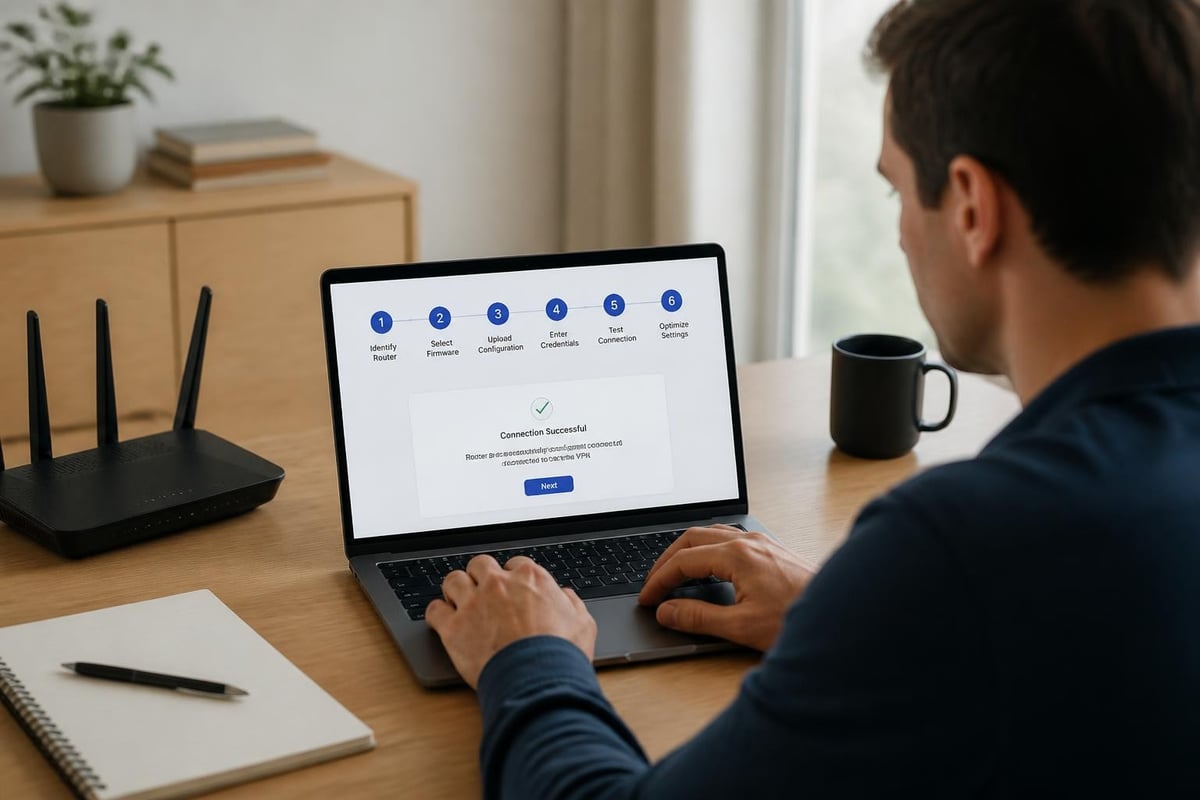
Access your router's administration panel through a web browser, navigate to the VPN tab, and select the OpenVPN client option. Upload NordVPN's configuration files, enter your service credentials, and activate the connection. DD-WRT offers flexibility in routing options, allowing split tunneling configurations where specific devices bypass the VPN connection.
For AsusWRT firmware:
The process follows similar patterns but benefits from Asus's streamlined VPN client interface. Navigate to VPN settings, add a new OpenVPN client profile, import NordVPN server configurations, and activate the connection. AsusWRT typically provides better performance metrics and connection stability indicators compared to other firmware options.
Connection Protocol Selection
NordVPN supports multiple connection protocols, each offering different balances between security, speed, and compatibility:
| Protocol | Security Level | Speed | Best Use Case |
|---|---|---|---|
| OpenVPN TCP | High | Moderate | Stable connections, restrictive networks |
| OpenVPN UDP | High | Fast | General use, streaming |
| WireGuard | High | Very Fast | Modern routers, gaming |
| IKEv2/IPSec | High | Fast | Mobile connections |
Router NordVPN configurations most commonly utilize OpenVPN due to broad firmware support, though WireGuard increasingly becomes the preferred choice on compatible hardware due to superior performance characteristics.
Optimising Router NordVPN Performance
After successful configuration, optimization ensures you extract maximum value from your router NordVPN setup. Performance tuning addresses common bottlenecks and enhances user experience across all connected devices.
Server Selection Strategies
Choosing the optimal NordVPN server significantly impacts connection speeds and reliability. Geographic proximity generally correlates with better performance, though server load and routing efficiency also play crucial roles.
Selection criteria:
- Choose servers closest to your physical location for everyday browsing
- Select servers near content delivery networks for streaming services
- Test multiple servers within your preferred country to identify fastest options
- Monitor server load percentages through NordVPN's recommendations
- Consider specialized servers for P2P activities or enhanced security
Many users maintain profiles for different activities, switching between servers optimized for streaming, general browsing, or specific geographic requirements.
Router Hardware Optimization
Your router's processing power directly affects VPN performance. Modern encryption standards require computational resources, and underpowered routers create bottlenecks regardless of your internet connection speed.
Performance enhancement techniques:
- Update router firmware to latest stable releases
- Disable unnecessary services consuming processor resources
- Configure Quality of Service (QoS) rules prioritizing essential traffic
- Adjust MTU settings to optimize packet handling
- Enable hardware acceleration features when available
Detailed guides like how to set up NordVPN on your router often include firmware-specific optimization recommendations beyond basic configuration steps.
Advanced Router NordVPN Features
Beyond basic connectivity, router NordVPN configurations unlock sophisticated features unavailable through standard device-based installations. These capabilities provide granular control over network security and traffic management.
Split Tunneling Implementation
Split tunneling allows selective routing where certain devices or services bypass the VPN connection whilst others maintain encrypted pathways. This proves valuable when:
- Local network devices require direct LAN access
- Banking applications flag VPN connections as suspicious
- Maximum speed is needed for specific bandwidth-intensive applications
- Local content services block VPN traffic
Implementation varies by firmware, with DD-WRT offering the most flexible routing policies through iptables rules, whilst AsusWRT provides user-friendly interface options for device-based splitting.
Kill Switch Configuration
A properly configured kill switch prevents unencrypted internet access if your VPN connection drops unexpectedly. Router-level kill switches offer superior protection compared to software implementations because they operate at the network gateway level.
Implementation approaches include:
- Firewall rules blocking non-VPN traffic
- Routing table modifications preventing leakage
- Script-based monitoring with automatic reconnection
- Multiple redundancy layers ensuring failsafe operation
These configurations require careful testing to avoid accidentally blocking legitimate traffic whilst ensuring comprehensive protection during VPN disconnections.
Troubleshooting Common Router NordVPN Issues
Even properly configured router NordVPN setups occasionally encounter connectivity problems or performance degradation. Systematic troubleshooting identifies and resolves most issues efficiently.
Connection Stability Problems
Intermittent disconnections frustrate users and compromise security. Common causes include:
- ISP throttling or blocking VPN protocols
- Router firmware bugs affecting OpenVPN stability
- Incorrect MTU settings causing packet fragmentation
- DNS resolution failures creating timeout issues
- Server congestion during peak usage periods
Testing alternative servers and protocols often resolves stability issues, whilst firmware updates address known bugs affecting specific router models. Resources like setting up TP-Link with NordVPN provide model-specific troubleshooting guidance.
Speed Optimization Challenges
Router NordVPN configurations typically reduce connection speeds compared to direct ISP connections due to encryption overhead and routing inefficiencies. Acceptable performance requires proper optimization.
Speed improvement tactics:
- Test multiple VPN servers to identify fastest options
- Switch between UDP and TCP protocols
- Adjust encryption cipher settings (when firmware permits)
- Upgrade router hardware if processor limitations exist
- Contact NordVPN support for server-specific issues
According to reviews from best router VPN services, NordVPN typically maintains 70-85% of baseline speeds on properly configured hardware, with WireGuard protocol achieving the highest throughput.
Security Enhancements Beyond Basic Configuration
Router NordVPN provides foundational security, but additional hardening measures further protect your network from sophisticated threats and privacy invasions.
DNS Leak Prevention
DNS leaks expose your browsing activity even when VPN encryption protects data transmission. Router-level DNS configuration ensures all queries route through NordVPN's secure DNS servers.
Prevention measures include:
- Hardcoding NordVPN DNS servers in router configuration
- Disabling ISP-provided DNS entirely
- Implementing DNS rebinding protection
- Testing for leaks using online verification tools
- Configuring DHCP to distribute correct DNS settings
Regular testing confirms your configuration maintains leak protection, especially after firmware updates or configuration changes.
Multi-Layer Authentication
Strengthening router access controls prevents unauthorized modification of your router NordVPN setup. Security best practices include:
- Changing default administrator passwords to complex passphrases
- Enabling WPA3 encryption for wireless networks
- Disabling remote administration unless specifically required
- Implementing MAC address filtering for known devices
- Regularly reviewing connected device lists
These measures complement VPN protection by securing the underlying infrastructure supporting your encrypted connections.
Comparing Router NordVPN to Alternative Approaches
Understanding how router-based NordVPN configurations compare to other VPN deployment methods helps determine the optimal approach for your specific requirements and technical capabilities.
Device-Based VPN Applications
Traditional VPN applications installed directly on computers and mobile devices offer simplicity and flexibility but lack comprehensive network coverage.
| Feature | Router NordVPN | Device Applications |
|---|---|---|
| Setup Difficulty | Moderate to Complex | Simple |
| Device Protection | All network devices | Only installed devices |
| Connection Limit | Single connection | Multiple device limit |
| Performance Impact | Router-dependent | Device-dependent |
| Smart Device Support | Complete | Limited/None |
| Management Overhead | Minimal after setup | Ongoing per device |
Reviews from publications like TechRadar’s best router VPN analysis consistently highlight router configurations as superior for comprehensive household protection despite higher initial setup complexity.
Pre-Configured VPN Router Solutions
Professional pre-configured routers eliminate setup complexity whilst delivering optimized performance through expert configuration and testing. These solutions particularly benefit users seeking immediate deployment without technical knowledge requirements.
Advantages include:
- Professional configuration ensuring optimal settings
- Tested hardware-firmware combinations
- Ongoing support from VPN router specialists
- Firmware maintained with security updates
- Performance tuning for specific use cases
This approach bridges the gap between complex DIY configurations and simple but limited device-based applications.
Future-Proofing Your Router NordVPN Setup
Technology evolves rapidly, and maintaining effective router NordVPN configurations requires periodic updates and adaptations to emerging standards and threats.
Firmware Updates and Security Patches
Regular firmware maintenance ensures your router benefits from security patches, performance improvements, and compatibility updates. Establish a quarterly review schedule examining:
- Available firmware updates from your router manufacturer
- NordVPN configuration file updates and protocol changes
- Security vulnerabilities affecting your specific router model
- Performance optimization opportunities from updated features
- Community feedback on firmware stability and issues
Recent developments like NordVPN’s Linux-based package for OpenWrt routers demonstrate ongoing improvements in router VPN technology, offering enhanced configuration options and better performance.
Protocol Evolution
VPN protocols continuously evolve, balancing security, performance, and compatibility. WireGuard's emergence as a superior alternative to OpenVPN exemplifies this progression, offering significantly faster speeds with equivalent security.
Staying informed about protocol developments ensures your router NordVPN configuration leverages the most efficient and secure connection methods available for your hardware capabilities.
Practical Applications Across Different User Scenarios
Router NordVPN configurations serve diverse requirements across residential, professional, and specialized use cases. Understanding application-specific considerations optimizes deployment for specific needs.
Home Entertainment and Streaming
Streaming services increasingly restrict content based on geographic location, and router NordVPN enables consistent access across all household devices without per-device configuration.
Streaming optimization includes:
- Connecting to servers in content-licensing regions
- Using dedicated streaming-optimized servers
- Implementing split tunneling for local services
- Monitoring bandwidth to prevent buffering
- Testing multiple server locations for best performance
Smart televisions, streaming boxes, and gaming consoles benefit particularly from router-level VPN deployment since many lack native VPN application support.
Remote Work and Business Applications
Remote workers handling sensitive information require reliable security without sacrificing productivity. Router NordVPN provides:
- Encrypted connections protecting confidential communications
- Consistent security across work and personal devices
- Geographic flexibility for accessing regional resources
- Enhanced privacy during video conferencing
- Protection against local network surveillance
Business users should verify that router NordVPN configurations don't conflict with company VPN requirements, potentially necessitating split tunneling or dedicated network segments.
Gaming and Low-Latency Requirements
Online gaming demands low latency whilst benefiting from DDoS protection and geographic server access. Router NordVPN configurations for gaming prioritize:
- Server selection minimizing ping times
- UDP protocol for reduced overhead
- QoS rules prioritizing gaming traffic
- Kill switch configurations preventing disconnection exploitation
- Multiple server profiles for different game regions
Careful optimization balances security benefits against the performance requirements of competitive online gaming.
Configuring router NordVPN transforms your entire network into a secure, private environment protecting every connected device simultaneously. Whether you choose the DIY approach or opt for professionally configured hardware, router-level VPN deployment offers comprehensive protection that device-based solutions cannot match. For those seeking the benefits of router NordVPN without complex configuration procedures, U Shield VPN delivers pre-configured, professionally optimized routers with WireGuard and OpenVPN support, providing immediate network-wide protection backed by expert support for home users, remote workers, and businesses requiring reliable secure connectivity.
