






Your smart fridge is likely the weakest link in your home security. While you diligently protect your laptop, your light bulbs and gaming consoles often remain wide open to intruders. You are likely wondering how to use one vpn subscription to protect all the devices in my house without hitting device limits or facing technical exhaustion. Managing individual apps on every screen is a chore that most families simply don’t have time for.
We believe protection should be silent and absolute. You deserve a setup that works in the background so you can enjoy the internet without worry. This 2026 guide reveals how to eliminate security gaps and secure every smart device using a single, powerful connection. We will look at how the U Shield VPN Router simplifies your digital life. You will discover the path to invisible, set-and-forget privacy that covers your entire home and unlocks global content on every screen. It is time to replace technical stress with military-grade peace of mind.
Key Takeaways
- Close the security gap between protected computers and vulnerable smart home devices. Secure your entire network from a single source.
- Discover how to use one vpn subscription to protect all the devices in my house by deploying protection at the router level.
- Bypass device limits instantly. One router connection covers every smart TV, gaming console, and IoT gadget on your Wi-Fi.
- Skip the technical exhaustion of manual setup. Pre-configured routers offer plug-and-play security without the risk of configuration errors.
- Achieve total digital freedom with military-grade encryption. Your family stays safe behind an invisible, set-and-forget shield.
The Modern Security Gap: Why Your Smart Home is Vulnerable
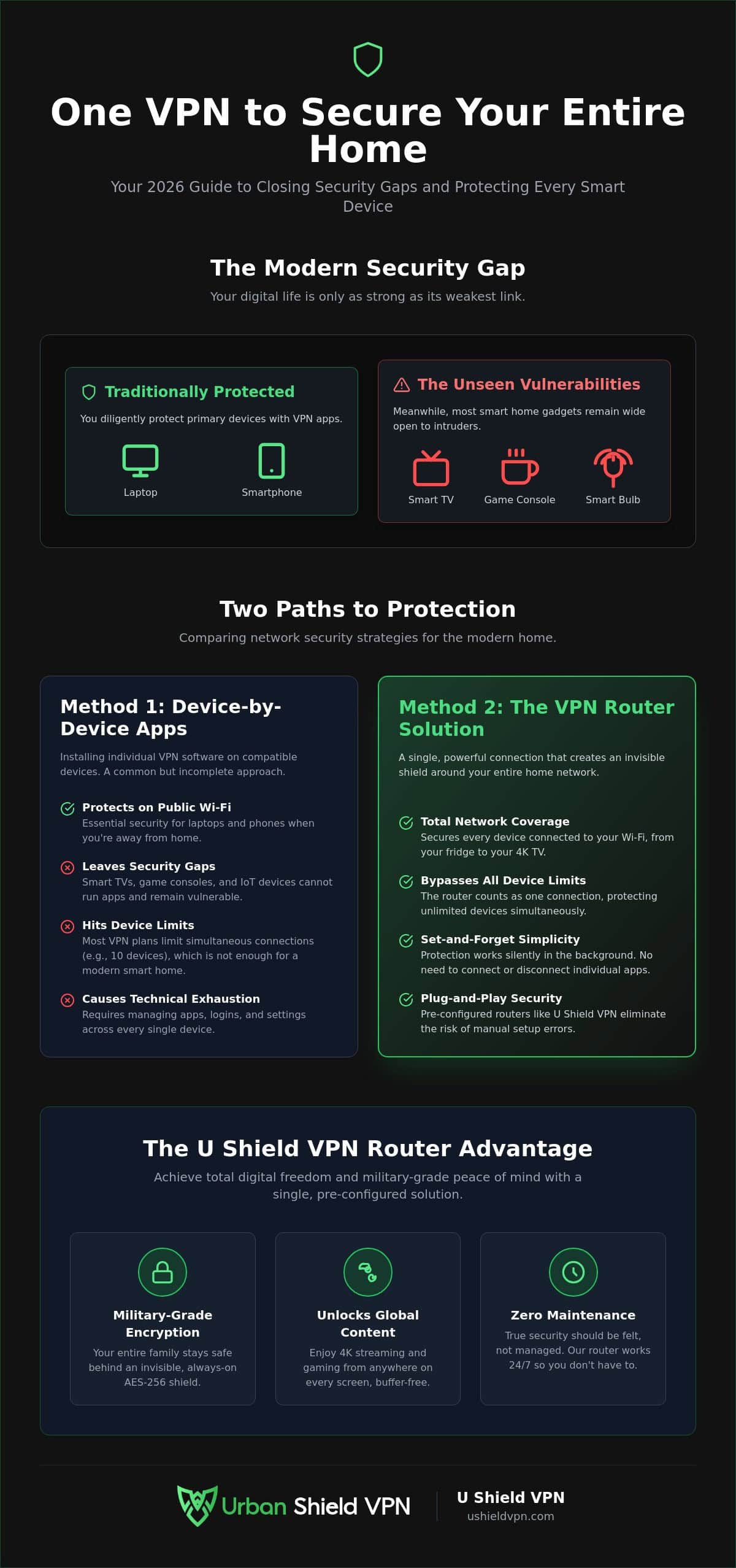
Your digital life is only as strong as its weakest link. Most users understand what a virtual private network (VPN) is and use it on their laptops. However, the modern home is now filled with smart gadgets that lack basic security features. This creates a dangerous security gap. It is the unprotected space between your secure computer and your vulnerable smart thermostat or baby monitor. While you focus on your phone, your other devices remain wide open to intruders.
In 2026, smart TVs and security cameras are the preferred entry points for hackers. These devices are designed for convenience, not safety. They often transmit data in the clear. This allows your ISP and third-party trackers to harvest your habits, locations, and personal preferences without your consent. Your private data is a valuable commodity. To stop this harvesting, you must create a unified perimeter. You need a shield that covers every connected MAC address in your home simultaneously. Total protection requires a single, cohesive strategy; to explore high-quality VPN options, click here.
Understanding the Weakest Link in Your Network
Most smart home devices cannot run traditional security software. Your smart bulbs and kitchen appliances don’t have the memory or the interface for complex apps. This makes them perfect targets for lateral network attacks. A hacker enters through a vulnerable camera and moves silently toward your banking data on your phone. Using a military grade encryption VPN at the network level stops this movement. It encrypts the data before it even leaves the device. When you secure the connection at the source, you render these devices invisible to the outside world. One single vulnerability shouldn’t compromise your entire digital life. Secure the source instead.
One Subscription vs. Infinite Vulnerabilities
Managing fifteen different logins for fifteen different devices is a recipe for technical exhaustion. It is frustrating. It is unnecessary. Many standard VPN plans still impose strict device limits that feel outdated in a world of connected homes. You might find yourself constantly logging out of one device just to secure another. This is why learning how to use one vpn subscription to protect all the devices in my house is so vital. It removes the friction of manual configurations. You gain the psychological benefit of silent protection. It works in the background. It never sleeps. This approach ensures that your 4K streaming and gaming sessions remain private and optimized. You get total privacy without the constant maintenance. True security should be felt, not managed.
Method 1: Deploying the VPN App Across Compatible Devices
The most direct way to begin is by installing dedicated software. Most modern primary devices support native applications. This includes your smartphones, tablets, and computers. You can easily find the U Shield VPN App on the Apple App Store or Google Play Store. It is also available for Windows and macOS. This method allows you to sync protection across your mobile fleet instantly. You simply log in once. Your settings follow you everywhere. It is the fastest path to personal security.
This approach offers a massive advantage for public Wi-Fi. When you leave your home, your phone remains shielded. It prevents data theft at coffee shops or airports. However, you might still wonder how to use one vpn subscription to protect all the devices in my house if those devices don’t have screens. This is where the app-only approach hits a wall. Smart fridges, older TVs, and IoT sensors cannot run these apps. Relying only on software leaves gaps in your home perimeter. You need a solution that covers the things apps cannot reach.
Securing Your Primary Screens
Installation is effortless. Download the app. Enter your credentials. Tap connect. Your data is now encrypted. We recommend enabling the ‘Kill Switch’ immediately. This feature acts as a silent guardian. If your connection drops, it cuts all internet traffic instantly. Your private data never leaks. For those who enjoy global content, you should optimize your settings for VPN for streaming. This ensures 4K video remains smooth and buffer-free. You get high-speed access without compromising your privacy. It is professional-grade security made simple.
Managing Your Device Slots Efficiently
Standard subscriptions often limit how many devices can connect at once. In 2026, NordVPN allows up to 10 connections. You must prioritize your slots. Focus on devices that leave the house first. Laptops and phones need individual apps for outside protection. Use a single login for your entire family to keep things simple. This reduces technical stress for everyone. Save your available slots for mobile gadgets. For the rest of your home, there is a more efficient way to achieve total coverage. You can explore our Annual VPN Plan to start securing your mobile devices today. It is the first step toward a fully protected digital life.
Method 2: The VPN Router—One Connection for Everything
The Golden Rule of home security is simple. If a device connects to your Wi-Fi, it should be protected. A VPN at the router level makes this a reality. Instead of managing individual apps, you secure the source of your internet. This is the most efficient answer to how to use one vpn subscription to protect all the devices in my house. Every gadget sits behind a single, powerful shield. From your smart thermostat to your desktop, everything is covered.
The efficiency of this method is unmatched. Most VPN providers limit your simultaneous connections to a handful of devices. However, a VPN router counts as just one device slot on your subscription. You can connect twenty, thirty, or fifty gadgets to that router. They all share the same military-grade encryption. This eliminates the need to pay for multiple accounts or manage complex logins. It also stops ISP throttling. Your provider cannot see if you are streaming 4K video or downloading large files. They only see encrypted data. This ensures your speeds remain high and consistent across the entire house.
Securing the Un-securable: Smart TVs and Consoles
Smart TVs and gaming consoles are notoriously difficult to secure. They rarely support native VPN apps, leaving your viewing habits and gaming data exposed. A router-level setup provides network-wide VPN protection for Apple TV, Xbox, and PlayStation. It is the only reliable way to bypass geo-blocks on these devices. You can access global content libraries on the big screen without technical hurdles. Gamers also benefit from optimized server selection. By choosing a server close to the game host at the router level, you can reduce lag. It is a win for both privacy and performance.
The Set-and-Forget Advantage
Security should be effortless. With a router-level VPN, you never have to remember to turn on protection. It is always active. This creates a permanent Secure Zone in your home. Guests and new devices are protected the moment they join your Wi-Fi. There are no logins to share and no apps for visitors to download. It is invisible protection that covers every square inch of your property. You gain total peace of mind without lifting a finger. Your home becomes a fortress by default.
Pre-Configured vs. Manual Setup: Choosing Your Path
Deciding how to implement your home security is a pivotal choice. You have two main paths. You can attempt a manual DIY setup or opt for a professional solution. Manual configuration involves flashing custom firmware and managing complex configuration files. It is often a two-hour journey filled with technical frustration. For most families, this is not the ideal way to learn how to use one vpn subscription to protect all the devices in my house. Technical exhaustion is a real risk when things go wrong.
The alternative is the pre-configured VPN router. This is the plug-and-play choice. You simply connect it to your existing modem and power it on. Setup takes two minutes instead of two hours. This hardware-software synergy leads to superior performance. The router is specifically tuned to handle heavy encryption without slowing down your internet. It is the sophisticated way to achieve total home privacy.
The Risks of DIY Router Configuration
DIY setups are fraught with danger. One small mistake during firmware flashing can “brick” your hardware. This turns an expensive router into a useless paperweight. Even if you succeed, manual setups often suffer from slower speeds. Standard consumer routers have processors that aren’t optimized for modern VPN protocols. Updating these protocols manually is also a recurring headache. You shouldn’t have to be a network engineer to stay safe.
The U Shield Plug-and-Play Philosophy
We believe in removing the technical burden from your shoulders. Our pre-configured solution arrives ready for action. It includes built-in anti-trackers that operate at the hardware level. This stops invasive data harvesting before it even reaches your devices. You get military-grade protection without the configuration stress. It is a silent, powerful guardian for your digital life. Experience true peace of mind with a U Shield VPN Router today. Efficiency and security finally work together.
Total Household Protection with U Shield VPN
True digital security requires a hybrid strategy. You need flexibility for your mobile life and absolute coverage for your home. By combining the U Shield VPN App with the U Shield VPN Router, you finally master how to use one vpn subscription to protect all the devices in my house. The app secures your phone on public Wi-Fi. The router creates a permanent shield for every gadget inside your four walls. This dual approach ensures there are no gaps in your defense. It is the most efficient way to manage a modern, connected household.
Our military-grade encryption creates an invisible fortress around your data. It doesn’t just hide your IP address; it wraps every bit of traffic in a layer of professional-grade security. This protection is silent and powerful. It operates in the background, allowing you to browse, work, and play without interruption. Choosing an Annual VPN Plan provides the best long-term value for this level of security. It offers consistent peace of mind for an entire year. You can reclaim your privacy today without sacrificing the convenience of your smart home.
Streamlining Your Digital Life
The ‘One Login’ philosophy changes everything for your family. You no longer need to manage a dozen different accounts or remember multiple passwords. One subscription covers the entire household. This simplicity extends to performance. U Shield is optimized for the high demands of 2026. We ensure your 4K streaming remains crisp and your gaming remains responsive. Low-latency connections are a priority, not an afterthought. In an increasingly connected world, a silent guardian is essential. We take the technical burden so you can focus on what matters.
Your Next Steps to a Secure Home
Choosing your path to security is simple. If you need flexibility, the Monthly VPN Plan offers short-term protection. For those seeking the ultimate 2026 security move, the Annual VPN Plan combined with the U Shield VPN Router is the standard. It is the most sophisticated way to protect your family from data harvesting and lateral network attacks. You don’t have to settle for partial safety. You can have total coverage with a single, powerful solution. It is time to secure your perimeter. Secure your entire home network with U Shield VPN today and experience the freedom of a truly private internet.
Secure Your Digital Future Today
Your home is now a connected fortress. You have seen how a single router bridges the security gap for devices that cannot run traditional apps. You also know that pre-configured hardware saves you from hours of technical frustration and the risk of bricking your devices. Most importantly, you now understand how to use one vpn subscription to protect all the devices in my house without ever hitting a device limit again. It is the most efficient way to manage a modern household.
U Shield VPN provides the ultimate peace of mind. Our hardware utilizes Military-grade AES-256 encryption to keep your family safe from prying eyes. Every router is pre-configured for instant plug-and-play security, removing the technical burden from your shoulders. We ensure our network is optimized for 4K streaming and competitive gaming. You never have to sacrifice performance for privacy. The silent guardian of your digital life is ready.
It is time to take absolute control of your network. Secure every screen, sensor, and console with a single, elegant solution. Protect your entire home with a U Shield VPN Router. Enjoy the internet with the confidence and freedom you deserve.
Frequently Asked Questions
Can I really protect my smart fridge and security cameras with one VPN?
Yes. You can secure every IoT device in your home by using a VPN at the router level. Smart fridges and security cameras don’t support native apps, but they still connect to your Wi-Fi. When your router is protected, every device behind it is automatically encrypted. This is the most efficient way to close the security gap in your home and stop data harvesting at the source.
Does a VPN router count as multiple devices on my subscription?
No. A VPN router counts as a single connection on your subscription, regardless of how many gadgets connect to it. You can have five devices or fifty devices sharing that one router connection. This is the secret to how to use one vpn subscription to protect all the devices in my house without hitting device limits or paying for additional accounts.
Will using a VPN on my router slow down my internet for everyone in the house?
High-quality hardware prevents noticeable speed loss. While older routers might struggle with the heavy demands of encryption, the U Shield VPN Router is specifically optimized for 4K streaming and competitive gaming. It utilizes powerful processors to maintain high velocity. You get military-grade protection without the lag. Every screen in your house stays fast, private, and responsive for the whole family.
How do I put a VPN on my Smart TV if there is no app available?
You don’t need to install an app on the TV itself. Simply connect your Smart TV to a VPN-enabled router. The router encrypts the data before it ever reaches the screen. This allows you to bypass geo-blocks and access global content libraries on the big screen. This method works perfectly for Apple TV, Xbox, and PlayStation consoles as well.
Do I need to be a tech expert to set up a VPN router?
Not at all. While manual setups are complex and carry the risk of bricking your device, our pre-configured routers are designed for plug-and-play simplicity. You don’t need to flash firmware or manage configuration files. Just connect the router to your modem and power it on. We handle the technical burden so you can enjoy instant, sophisticated protection without any stress.
Can I still access local content while my whole house is on a VPN?
Yes. You can maintain access to local services by selecting a VPN server located in your own country. This keeps your local news, weather, and banking apps working perfectly. You can easily switch server locations through your account settings to balance global freedom with local convenience. It is a seamless way to manage how to use one vpn subscription to protect all the devices in my house.
Is it better to use the VPN app or a VPN router for my phone at home?
Use the router while you are at home. It provides a silent, always-on shield for your phone without draining its battery through app processing. Save the U Shield VPN App for when you leave the house and connect to public Wi-Fi. This hybrid approach ensures you are protected everywhere while keeping your home setup as efficient as possible.
What happens if the VPN connection on my router drops?
Your data remains safe. The U Shield VPN Router features a built-in kill switch that acts as a silent guardian. If the VPN connection drops for any reason, the router cuts all internet traffic immediately. This prevents your private information from leaking onto the open web. Your protection is absolute, even during unexpected interruptions, ensuring your home stays a fortress.
