




The digital architecture of the modern household has undergone a fundamental transformation. In 2025, a home is no longer just a residential space; it is a high-density technological hub. Between professional remote work, high-definition streaming, online gaming, and the silent operation of dozens of smart home sensors, the average residence now facilitates a staggering amount of data exchange. Recent data indicates that broadband usage has surged by over 8% annually, while mobile data traffic within the home has grown by nearly 20%, driven by everything from AI-integrated tools to live global sports.
However, this explosion of connectivity has created a massive security vacuum. For years, the standard approach was to install a standalone application on a phone or laptop. But in a world where your smart TV, gaming console, and even your home security cameras are perpetually online, the traditional device-by-device method is fundamentally broken. Managing a vpn multiple devices strategy through individual apps is a technical nightmare that leaves dangerous gaps in your digital privacy.
The challenge is no longer just about protecting a single screen; it is about establishing a “secure home network vpn” that provides a perpetual shield for every gadget in your residence. For families and high-density households, the most efficient solution is a vpn router for multiple devices.
What Does “VPN for Multiple Devices” Really Mean?
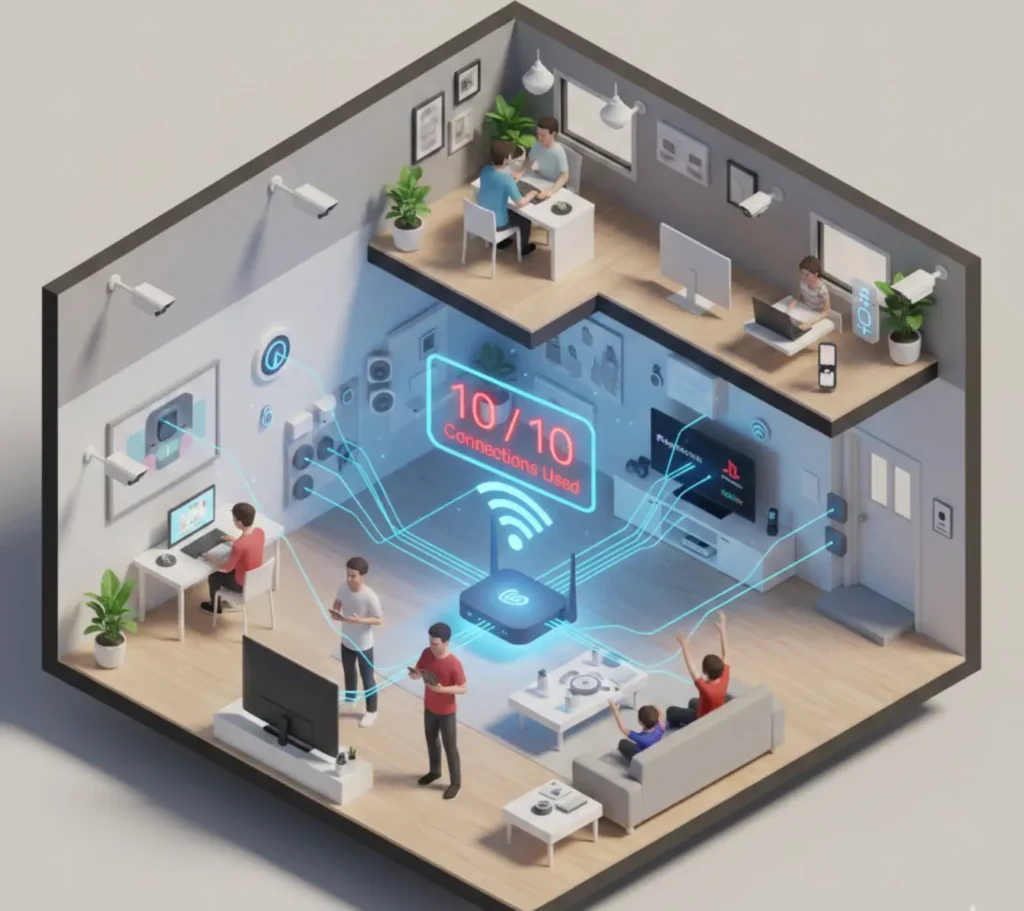
When you see a service advertised as a vpn for all devices, it typically refers to the number of “simultaneous connections” allowed under a single subscription. In the early days of the industry, a limit of three or five devices was considered standard. As households grew more connected, premium providers eventually increased these caps to eight or ten.
While ten connections might sound generous on paper, the reality of a 2025 home quickly exposes the inadequacy of these limits. Consider a typical family of four:
- 4 Smartphones (personal and work)
- 4 Laptops or work computers
- 2 Tablets for education or entertainment
- 2 Smart TVs or streaming boxes
- 2 Gaming consoles (PlayStation, Xbox, or handhelds)
- 1 Home security system (Cameras and doorbells)
- Dozens of IoT (Internet of Things) devices like smart lights, thermostats, and appliances.
In this scenario, you have exceeded a ten-device cap before even accounting for your basic smart home sensors. This is the core of the vpn multiple devices problem. A “simultaneous connection” refers to any device that has an active, encrypted tunnel to a VPN server. The moment you try to connect an eleventh device, your provider will typically block the attempt or automatically log out one of your other active sessions. This leads to a constant, frustrating “login dance” where family members are inadvertently compromising each other’s security just to get online.
Why VPN Apps Struggle With Multiple Devices
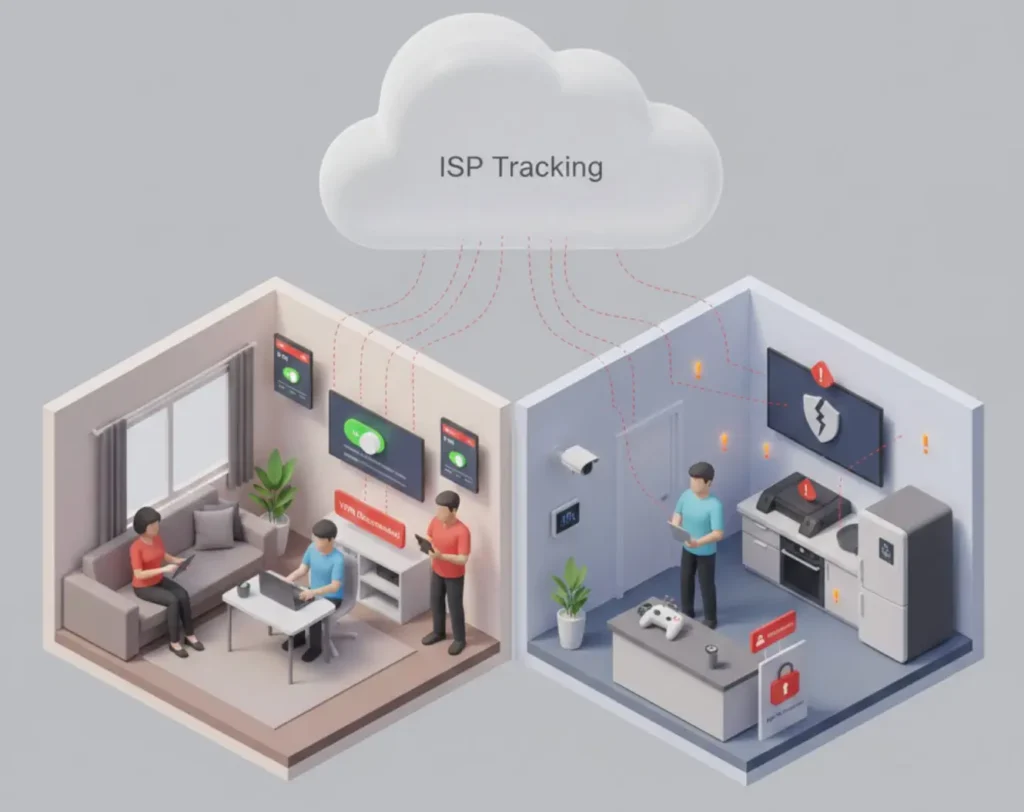
The traditional model of installing a standalone application on every piece of hardware is increasingly viewed as an obsolete strategy for home security. There are three primary reasons why apps fail to provide a cohesive vpn for home devices.
1. The Installation Fatigue
Manually installing, configuring, and updating a VPN app on every smartphone, tablet, and PC in the house is a significant administrative burden. Every time a guest visits or you buy a new gadget, you have to repeat the process. This leads to “security fatigue,” where users eventually stop bothering with the setup on secondary devices, leaving them exposed to ISP tracking and data harvesting.
2. Device Compatibility Gaps
Perhaps the greatest limitation of apps is that many of our most data-hungry devices do not support them. Gaming consoles, many smart TVs, and the vast majority of IoT devices—such as cameras, fridges, and thermostats—have no native way to run a VPN application. Without a network-level solution, these devices are forced to communicate over an unencrypted connection, making them the “weakest link” that attackers often use as an entry point into your home network.
3. The Human Factor
An app-based VPN is only effective if it is turned on. In a busy household, it is almost a certainty that someone whether a child, a guest, or a remote worker in a rush—will forget to enable the app. This creates “bursts” of unencrypted data that allow your ISP to see your activity, effectively nullifying the privacy benefits of having a vpn multiple devices subscription in the first place.
Common VPN Device Limit Problems Explained
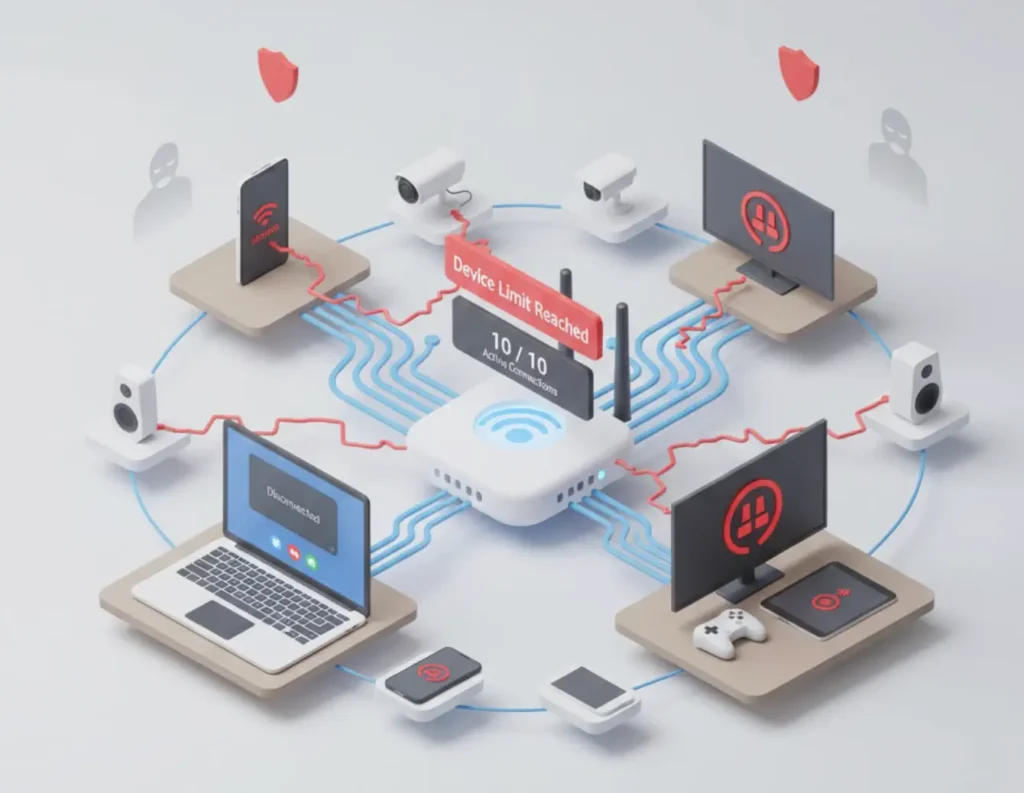
When a household hits its vpn device limit, the resulting issues are more than just a minor inconvenience; they represent a significant breach in your defensive strategy.
Persistent Login Caps
As mentioned, most premium providers cap connections at 8 or 10. When you reach this limit, the system behaves unpredictably. You may find yourself suddenly disconnected during a sensitive work meeting or a banking session because another device in the house was powered on and automatically claimed a connection slot. This is the most common symptom of a failing vpn multiple devices strategy.
Speed Drops and Latency
While a high-quality service should handle multiple connections, running separate encrypted tunnels on ten different devices can put a strain on your local Wi-Fi bandwidth. Each app is fighting for the same processing resources, which can lead to increased “ping” and slower load times, especially for gamers and high-definition streamers who require a stable vpn multiple devices environment.
The “Security Gap” Risk
The most dangerous problem with a device limit is the false sense of security it provides. If your subscription covers ten devices but you have fifteen in the home, five of those devices are perpetually vulnerable. In 2025, attackers specifically target “shadow” devices—the ones you forgot to protect—to gain a foothold in your network.
VPN Router for Multiple Devices — How It Solves the Problem
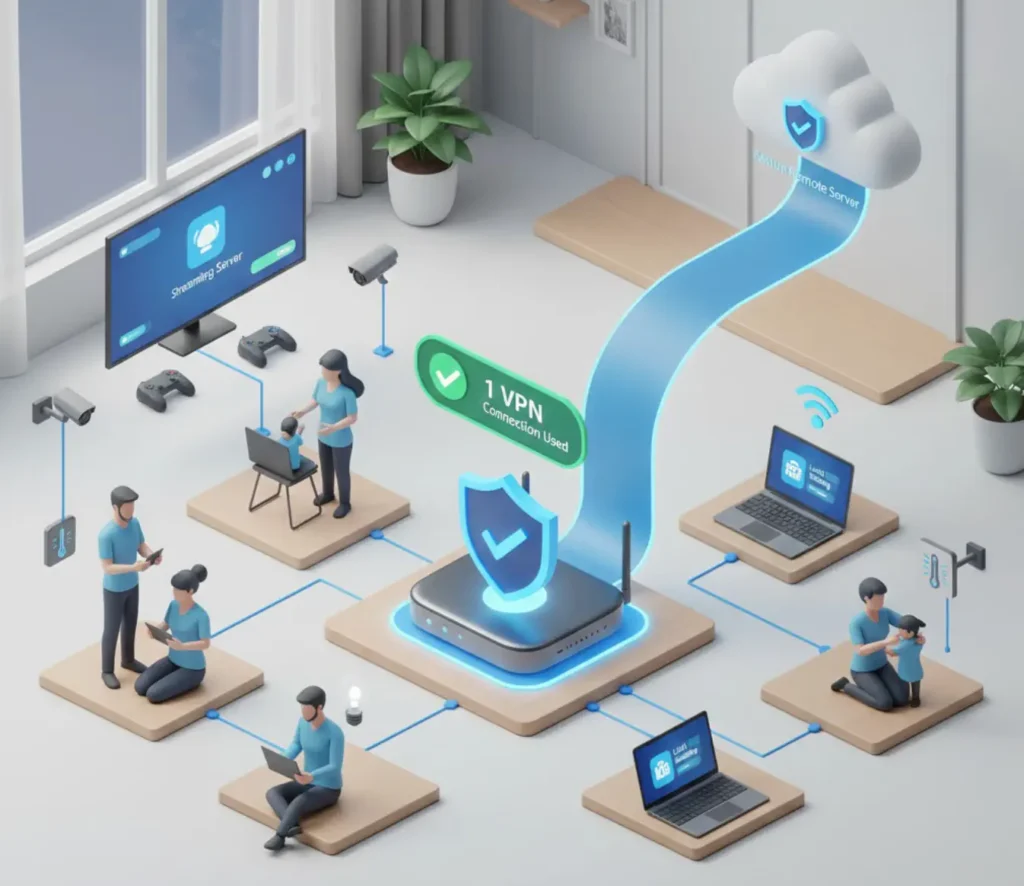
A vpn router for multiple devices is the most efficient solution for whole-home privacy. Instead of trying to secure every individual gadget, you secure the router itself. This changes the entire dynamic of your home network.
The “One Connection” Rule
The most significant advantage is technical: a VPN router counts as only one connection in the eyes of your provider. The router maintains a single, robust encrypted tunnel to the secure server. Every device that connects to that router—whether it’s five devices or fifty—shares that single secure tunnel. This effectively grants you an unlimited vpn multiple devices setup without ever needing to worry about subscription caps again.
Blanket, Always-On Protection
With a router-level setup, privacy is the “default” state of your home. You don’t need to remember to turn on an app; you don’t need to check if your child’s tablet is secure. If a device is connected to your Wi-Fi, its data is encrypted before it ever leaves the house. This provides a 24/7 shield against ISP monitoring and the data harvesting practices that became even more prevalent following the latest UK Data Acts.
Centralized Management
Managing a vpn router for multiple devices is far simpler than managing twenty separate apps. You have a single dashboard where you can change server locations, monitor network health, and adjust security settings. High-quality pre-configured routers even allow you to create “device groups,” meaning you can set your smart TV to a specific streaming server while your work laptop remains on a local server for banking.
VPN for All Devices at Home (Phones, TVs, Consoles, IoT)
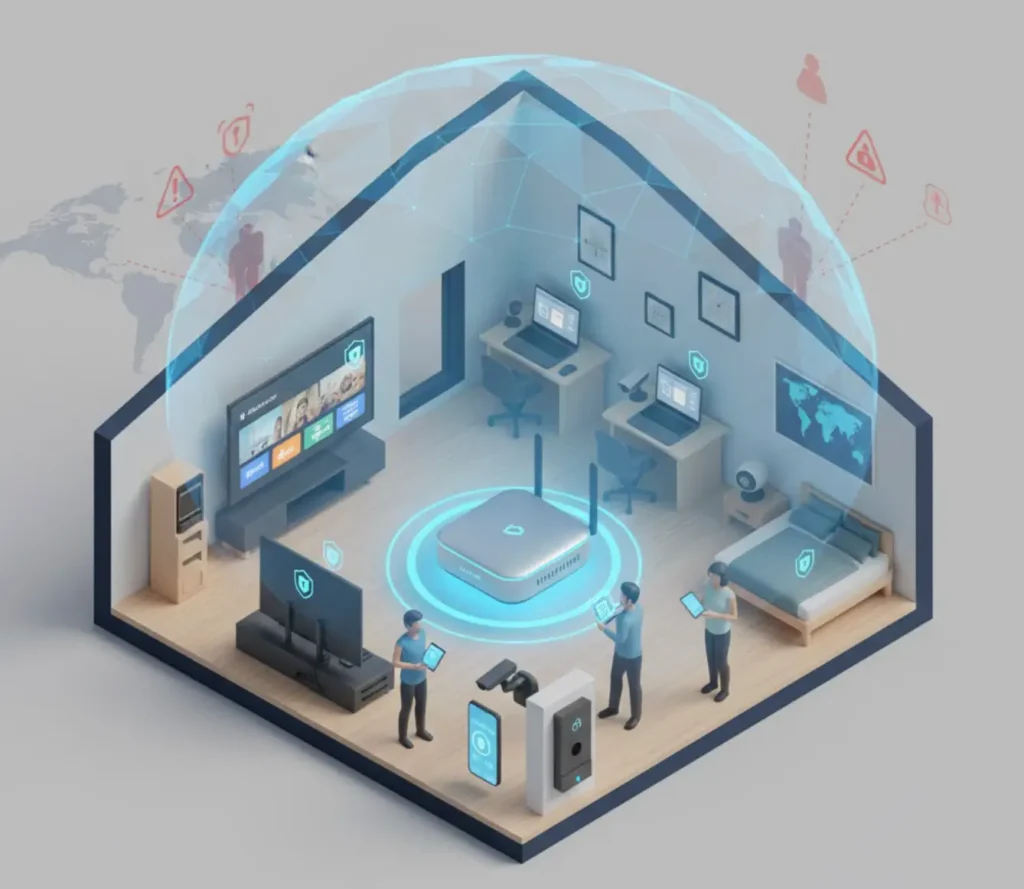
By implementing a network-wide solution, you finally bring the benefits of encryption to hardware that was previously impossible to secure. This ensures you have a true vpn for all devices without technical exclusions.
Smart TVs and Streaming Sticks
Smart TVs are notorious for data collection, often tracking exactly what you watch to sell that data to advertisers. Because many TVs and streaming sticks do not support native VPN apps, a router is the only way to mask your viewing data and bypass the geo-restrictions that limit your access to global content libraries. It is the only way to achieve a vpn multiple devices experience on the big screen.
Gaming Consoles
For gamers, a vpn for all devices setup on a router is the gold standard. It allows you to protect your console from DDoS (Distributed Denial of Service) attacks while ensuring your connection is stable. By using high-performance protocols like WireGuard on your router, you can maintain high speeds and low latency that app-level VPNs often struggle to provide.
The IoT Crisis
Research from 2025 shows that over 50% of IoT devices have critical vulnerabilities. These devices—smart cameras, baby monitors, and thermostats—often lack the processing power for native encryption. A vpn for home devices at the router level is the only way to wrap these vulnerable gadgets in a layer of military-grade encryption, preventing them from being exploited as entry points into your network.
Does Using a VPN on Many Devices Slow Internet?
A common concern for families is whether a vpn multiple devices setup will “choke” their internet speed. The honest answer is that it depends entirely on your hardware and protocol choice.
Hardware-Level Encryption
Standard routers provided by your ISP are not designed to handle the heavy mathematical load of constant encryption. If you try to run a VPN on an underpowered router, your speeds will indeed suffer. However, a professional-grade vpn router for multiple devices is built with high-performance, multi-core CPUs and specialized hardware acceleration (like AES-NI) to handle the data load without causing a bottleneck.
The WireGuard Advantage
In 2025, the WireGuard protocol has become the industry benchmark for speed. It is much leaner than older protocols like OpenVPN, allowing it to maintain 85% to 95% of your base internet speed. When paired with the right router hardware, a family can have ten devices streaming 4K content simultaneously without a hint of buffering, providing the ultimate vpn multiple devices performance.
Is a VPN Router Better Than Multiple VPN Apps?
While both solutions have their place, the comparison for home use is heavily weighted in favor of the router.
| Feature | Multiple VPN Apps | VPN Router Solution |
| Setup Time | High (Install on every device) | Low (Once at source) |
| Device Limit | 8-10 Devices (Typically) | Unlimited (Counts as 1) |
| IoT Support | None (Incompatible) | Comprehensive |
| Reliability | Manual (User-dependent) | Always-on (Automatic) |
| Security Gaps | High (Human error) | Zero (Total coverage) |
| Compatibility | PC & Mobile only | Universal (Any Wi-Fi device) |
The real value of a vpn for home devices is the peace of mind. You are removing the “human error” factor from your family’s security. You no longer have to ask if the VPN is on because the network itself is the VPN. This is why the vpn multiple devices conversation always leads back to high-quality hardware.
Who Needs a VPN for Multiple Devices?
While every household can benefit from improved privacy, certain groups find a vpn multiple devices router solution to be indispensable.
Large Families
With multiple children using tablets, phones, and consoles, a family’s device count can easily hit thirty. A router-level VPN ensures that every member of the family is protected without the need for complex account management or paying for multiple premium subscriptions.
Remote and Hybrid Workers
For those working from home, security is a professional requirement. A secure home network vpn protects your sensitive corporate data from being intercepted over your local Wi-Fi. It also prevents your personal browsing from being commingled with your professional traffic in your ISP’s logs.
Smart Home Enthusiasts
If you have invested in a smart home, you have essentially built a massive data-generating machine. Without a vpn multiple devices strategy at the router level, your smart home is a wide-open window into your private life. A VPN router closes that window permanently.
Shared Households
In a house-share or student accommodation, a VPN router allows everyone to share a single high-speed, secure connection. It protects each individual’s privacy from the others on the network, ensuring that your roommates cannot see your browsing activity or access your devices.
Conclusion
The era of protecting just one or two computers is over. In 2025, our privacy is only as strong as the weakest link in our network. Relying on individual apps to manage a vpn multiple devices setup is a strategy that is destined to fail—it is too complex, too limited by device caps, and leaves too many vulnerable gadgets exposed.
A centralized, pre-configured VPN router is the only scalable and reliable solution for the modern home. It simplifies your digital life by providing “blanket” protection for everything you own, from your work laptop to your smart thermostat. By shifting your defense to the router, you reclaim control over your data, eliminate the frustration of device limits, and ensure that your family’s digital sanctuary remains truly private.
If you are serious about whole-home security, it is time to stop managing apps and start managing your network. A pre-configured VPN router is the smartest, most efficient way to achieve total digital sovereignty for every device in your home. It is the definitive way to implement a vpn multiple devices solution that actually works for the modern world.
FAQ
How many devices can a VPN protect at once?
Standard VPN apps typically limit you to 8 or 10 simultaneous connections. However, if you use a vpn router for multiple devices, it only counts as one connection to your VPN provider, allowing you to protect an unlimited number of devices through that single router.
Do VPNs have device limits?
Yes, almost every VPN provider has a limit on how many devices can be logged in at the same time. These caps are usually between 5 and 10. A VPN router is the most common way to bypass these limits legally and efficiently, effectively giving you an unlimited vpn multiple devices experience.
Can one VPN protect smart TVs and consoles?
Most smart TVs and gaming consoles do not support VPN apps directly. The only way to protect them is by using a VPN router, which encrypts the internet connection before it reaches the TV or console, providing “blanket” security and a vpn for all devices.
Is a VPN router worth it for multiple devices?
Absolutely. For households with more than 10 devices, a VPN router is more cost-effective and secure than trying to manage individual apps. It provides “always-on” protection and secures vulnerable IoT devices that cannot run their own security software.
Can I use one VPN subscription for my whole home?
Yes. By installing your VPN subscription on a compatible router, every device in your home shares that single subscription. This counts as only one connection toward your subscription limit, regardless of how many gadgets you connect to your Wi-Fi, making it the ultimate vpn multiple devices hack.
